 Tablets and laptops have become essential tools in modern schools, offices, training centers, and other shared working environments. As organizations introduce more digital devices into their daily operations, managing, storing, and charging these devices has become an increasingly important task.
However, not every organization has enough space for large charging carts or traditional enclosed charging lockers. In smaller classrooms, meeting rooms, offices, and shared workspaces, a bulky storage solution may take up valuable floor space and make everyday device management less convenient.
This is where a compact charging cabinet can provide a practical alternative.
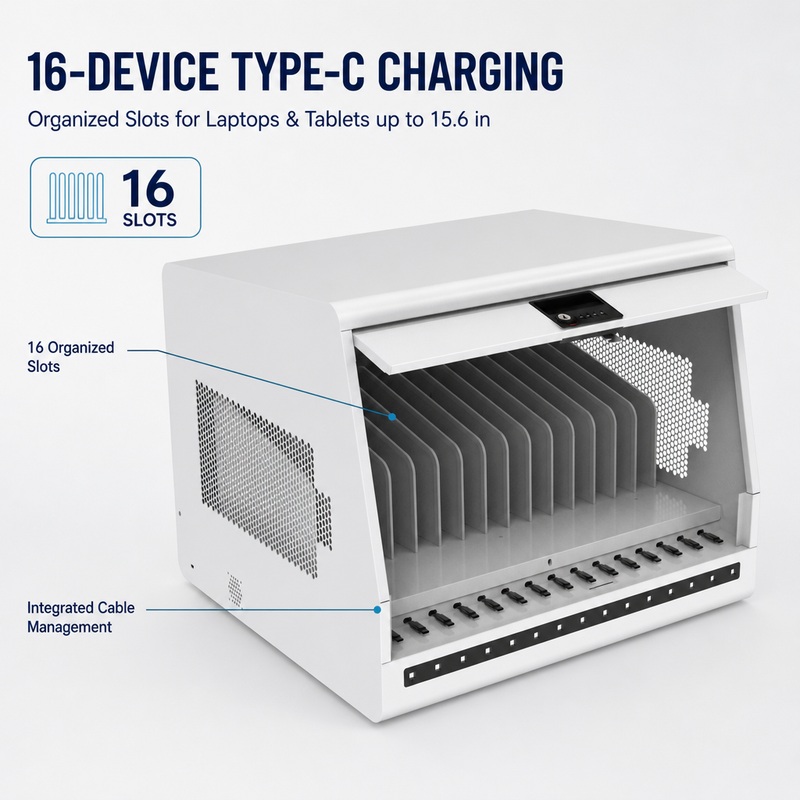
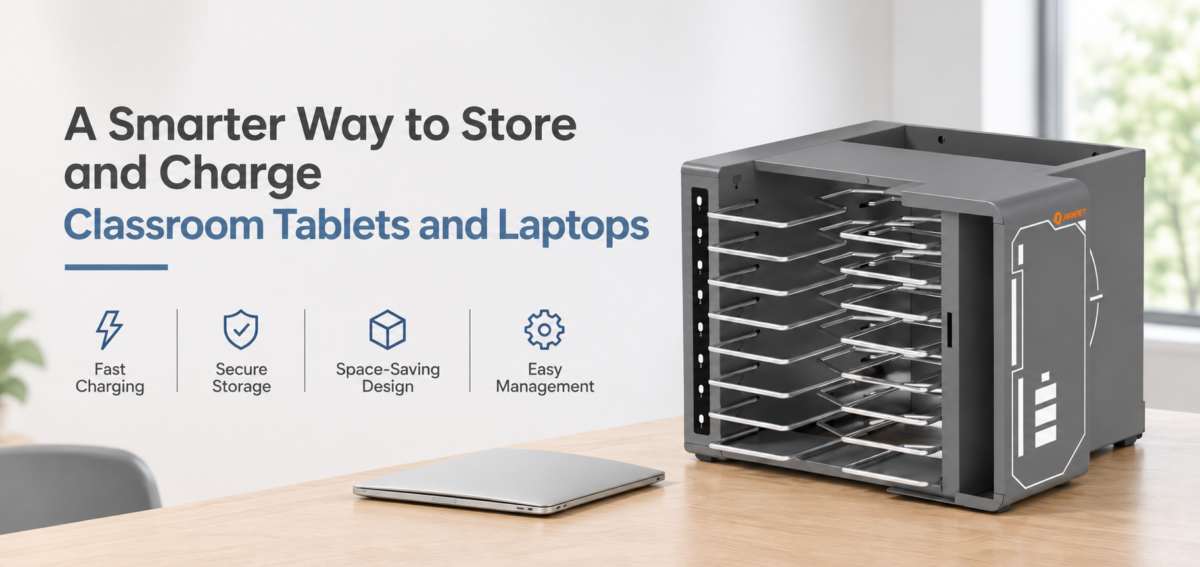
Designed to combine device storage and centralized charging in a relatively small footprint, a compact charging cabinet helps organizations keep tablets and laptops organized while making charging more convenient. Compared with some traditional tall charging cabinets, a horizontal, semi-open design can offer easier access to devices and better adaptability to limited spaces.
But how do you choose the right compact charging cabinet for tablets and laptops? Beyond its external dimensions, buyers should consider device compatibility, charging capacity, structural design, cable management, ventilation, and the actual environment in which the cabinet will be used. This guide explores the key factors to consider before purchasing one for your organization.
1. What Is a Compact Charging Cabinet?
A compact charging cabinet is a device storage and charging solution designed to accommodate multiple electronic devices within a relatively small physical footprint.
Unlike conventional large charging carts or tall storage cabinets, compact models prioritize space efficiency and convenient access. Depending on the design, they may feature horizontal storage arrangements, open or semi-open structures, and integrated charging components.
For organizations managing tablets and laptops, a compact charging cabinet can help address several everyday challenges:
- Keeping multiple devices organized in one designated location.
- Providing a centralized place for charging shared devices.
- Reducing clutter caused by scattered charging cables and power adapters.
- Making devices easier to access when they are needed.
- Using available floor or countertop space more efficiently.
A compact charging cabinet is particularly useful when an organization needs a practical device management solution but does not require a large, fully enclosed storage system. The key is to find a model that balances storage capacity, charging requirements, accessibility, and available space.
2. Why Choose a Space-Saving Charging Cabinet?
2.1 Make Better Use of Limited Space
A charging solution should support daily operations without unnecessarily occupying valuable working areas. In many schools and offices, charging equipment needs to fit into an existing room layout. A large vertical cabinet may not be suitable for locations with limited floor space, low furniture arrangements, or restricted installation areas.
A compact horizontal charging cabinet provides another option. Its lower-profile structure can make it easier to position on suitable furniture, counters, or designated storage areas, depending on its dimensions and installation requirements.
This makes it worth considering for small classrooms and computer rooms, teacher offices and staff rooms, meeting rooms, training centers, and shared workspaces. When comparing different models, buyers should evaluate the cabinet’s overall footprint rather than focusing only on its advertised storage capacity.
2.2 Keep Devices Organized
When multiple people share tablets and laptops, devices can easily become scattered across desks, shelves, and charging outlets. A dedicated tablet charging cabinet or laptop charging cabinet creates a designated storage and charging location. Users can return devices to the same place after use, making daily collection and distribution more organized.
For schools, this can simplify classroom device management. For offices, it can help employees and IT staff manage shared laptops and tablets more efficiently.
2.3 Improve Everyday Accessibility
A charging cabinet should not only store devices but also make them convenient to retrieve. A semi-open structure can provide more direct access than individual enclosed compartments. This can be particularly useful in environments where users frequently collect and return devices throughout the day.
For example, teachers may need to distribute tablets before lessons and collect them afterward. Office employees may need to access shared laptops between meetings or training sessions. The right cabinet design should support these routines without making device handling unnecessarily complicated.
3. Horizontal vs. Vertical Charging Cabinet Design
One of the first structural differences buyers should consider is the cabinet’s orientation. Charging cabinets are available in different configurations, including vertical cabinets, mobile charging carts, and compact horizontal designs. Each has different space requirements and practical advantages.
3.1 Vertical Charging Cabinets
Traditional vertical charging cabinets generally use an upright structure with multiple storage compartments or shelves. Their advantages may include making use of vertical space, providing relatively large storage capacity in some configurations, and offering individual compartments in models designed for separate device storage.
However, larger vertical cabinets may not be the best choice for every environment. Their height and overall footprint can make placement more difficult in smaller rooms or spaces with limited storage areas.
3.2 Horizontal Charging Cabinets
A compact horizontal charging cabinet uses a lower-profile layout that places storage areas along a horizontal structure. Depending on the design, this configuration can offer a more compact overall height, convenient access to stored devices, flexible placement in suitable workspaces, and a practical alternative to larger upright charging equipment.
For organizations that do not need a large-capacity charging cart, a horizontal design may provide a better balance between storage, accessibility, and space utilization. However, horizontal designs are not automatically better for every application. Buyers should compare the actual dimensions, usable storage area, device arrangement, and installation requirements before making a decision.
| Comparison | Vertical Charging Cabinet | Compact Horizontal Charging Cabinet |
| Main structure | Upright configuration | Low-profile horizontal configuration |
| Space utilization | Uses vertical space | Can fit into lower-profile spaces |
| Device access | Depends on compartment arrangement | Can provide direct access through open or semi-open areas |
| Typical consideration | Larger device storage requirements | Limited space and convenient device access |
| Suitable applications | Classrooms, IT rooms, shared device areas | Smaller classrooms, offices, meeting rooms |
The best choice depends on the number of devices, available space, and how frequently users need to access them.
4. Open vs. Enclosed Charging Cabinet Design
Another important consideration is whether to choose an open, semi-open, or fully enclosed charging cabinet. The structural design affects device accessibility, storage organization, security, and daily maintenance.
4.1 Fully Enclosed Charging Cabinets
Fully enclosed charging cabinets typically use doors, panels, or individual compartments to protect stored devices from direct contact with the surrounding environment. Depending on the model, they may also incorporate locking mechanisms or separate storage areas.
These cabinets can be suitable for environments where controlled access and more enclosed storage are important. However, a fully enclosed structure may not always be necessary for organizations that prioritize quick device access.
4.2 Semi-Open Charging Cabinets
A semi-open charging cabinet provides a balance between organized storage and convenient access. Instead of placing every device inside a fully enclosed compartment, its structure allows users to access devices more directly while maintaining a designated storage area.
Potential advantages include easier device placement and retrieval, a more accessible storage arrangement, convenient cable connection and daily handling depending on the design, and a less enclosed structure than traditional individual-locker systems.
For schools, training centers, and offices where devices are frequently shared, this design can support smoother daily workflows. Nevertheless, a semi-open charging cabinet should be evaluated according to its intended environment. If devices need to be secured against unauthorized access, buyers should confirm whether the specific model provides suitable locking or access-control options. It is also important not to assume that every semi-open cabinet provides the same level of protection against dust, physical contact, or unauthorized handling.
5. Check Device Compatibility Before Purchasing
A charging cabinet may look compact and convenient, but it must be able to accommodate the devices that an organization actually uses. This is particularly important when storing both tablets and laptops because their dimensions, thicknesses, charging requirements, and cable connections can differ considerably.
5.1 Tablet Compatibility
Tablets are commonly used in schools, libraries, training institutions, and business environments. When choosing a tablet charging cabinet, consider the maximum supported tablet dimensions, available storage width and height, whether devices can be placed and removed easily, whether charging cables can be connected without excessive bending, and whether different tablet models can share the same storage arrangement.
Some organizations use tablets from different manufacturers or with different screen sizes. Checking the usable storage dimensions is therefore more reliable than selecting a cabinet based only on a general device category.
5.2 Laptop Compatibility
Laptops usually require more storage space than tablets, especially when they have larger screens or thicker bodies. When evaluating a laptop charging cabinet, pay attention to maximum supported laptop size, available space for each device, the thickness of the laptop and any protective case, power adapter or charging cable requirements, and whether devices can be stored without excessive pressure or overlapping.
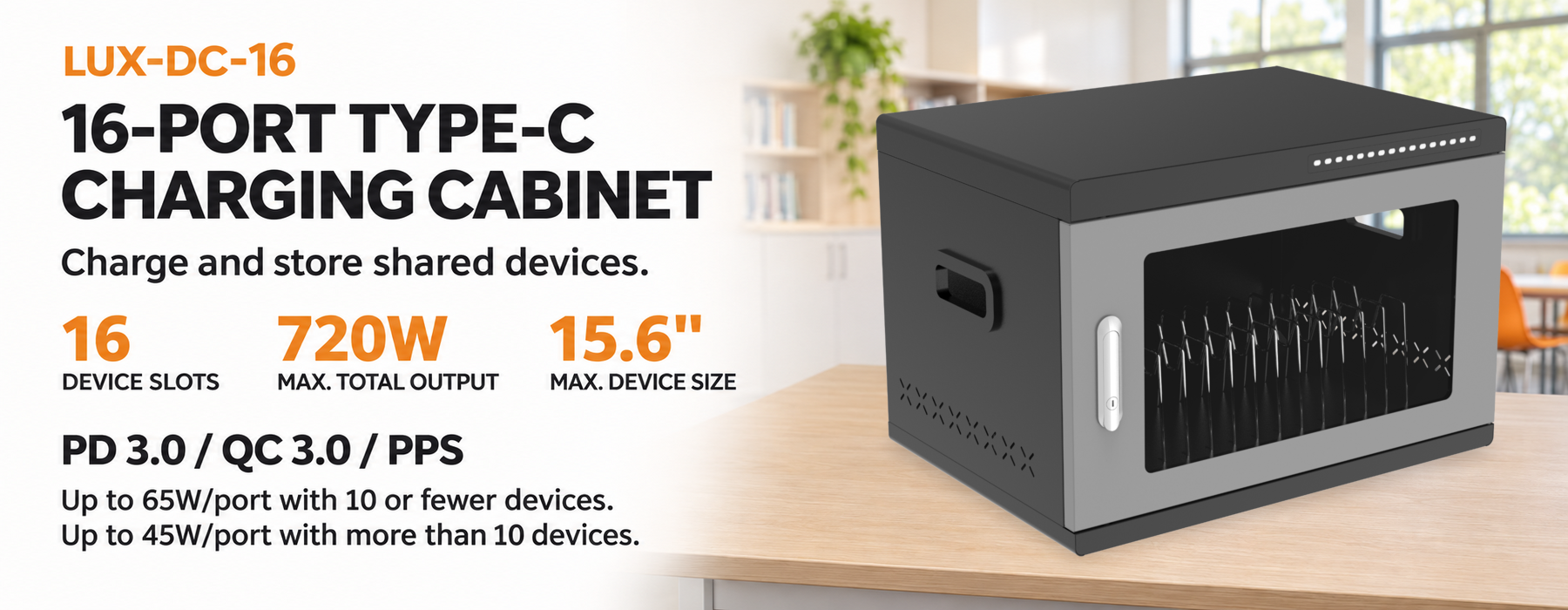
For organizations using laptops with USB-C charging, buyers should also confirm whether the cabinet’s charging system supports the required USB-C Power Delivery specifications.
5.3 Mixed Tablet and Laptop Storage
Some organizations use tablets and laptops together. For example, a school may use tablets for younger students and laptops for teachers or older students. An office may use tablets for presentations and laptops for daily work.
In these cases, a multi-device charging cabinet should be evaluated based on the actual dimensions and charging requirements of all devices. Do not assume that a cabinet designed for tablets will automatically accommodate every laptop model. Before purchasing, prepare a list of the device models and compare their dimensions with the cabinet’s usable storage area.
6. Evaluate Charging Capacity and Power Requirements
Storage capacity is only one part of a charging cabinet’s functionality. Buyers must also consider whether its charging system can meet the organization’s daily requirements.
6.1 Determine the Number of Devices
Start by identifying how many tablets and laptops need to be charged regularly. A cabinet with insufficient capacity may require devices to be charged in multiple batches, increasing management time. On the other hand, purchasing a much larger unit than necessary may result in unnecessary costs and wasted space.
A practical approach is to consider the number of devices currently in use, whether additional devices will be purchased, how frequently devices need to be charged, and whether all devices need to charge simultaneously. The required capacity should match the organization’s actual usage rather than simply choosing the largest available model.
6.2 Match Charging Power to Device Requirements
Different devices have different charging requirements. Many tablets can charge through USB-A or USB-C connections, depending on the model. Modern laptops increasingly use USB-C Power Delivery, although their required power levels vary.
When choosing a tablet and laptop charging station, buyers should confirm supported charging interfaces, output power per port, total available power, compatibility with the devices’ charging specifications, and whether the system can support simultaneous charging as expected.
A charging cabinet intended for tablets may not provide sufficient output for larger laptops. For this reason, it is important to check the power requirements of the actual devices rather than relying only on the number of charging ports.
6.3 Consider the Charging Workflow
Charging requirements also depend on how devices are used. In a classroom, tablets may be returned to the cabinet after lessons and charged for the next school day. In an office, shared laptops may be returned at different times throughout the day.
Understanding these routines helps buyers determine whether they need simultaneous charging, sequential charging, or a more flexible charging arrangement.
7. Cable Management and Ventilation Matter
A charging cabinet needs to accommodate not only devices but also their charging cables and power connections. Poor cable organization can make daily use inconvenient and may create unnecessary clutter around the storage area.
7.1 Practical Cable Management
A well-designed charging arrangement should make cables easy to connect, organize, and maintain. When evaluating a compact charging cabinet, consider whether there is enough space for charging cables, whether cables can be arranged without interfering with device placement, whether power connections are easy to access, whether cables can be replaced or maintained conveniently, and whether the layout reduces unnecessary cable tangling.
For organizations managing multiple devices, good cable management can significantly improve everyday usability.
7.2 Ventilation and Heat Management
Charging multiple electronic devices in one location can generate heat. The amount of heat depends on factors such as device type, charging power, charging duration, ambient temperature, and cabinet construction.
A compact structure should therefore be evaluated for adequate heat dissipation. For semi-open charging cabinets, the open areas may help avoid creating an unnecessarily enclosed storage environment. However, the actual thermal performance still depends on the cabinet’s design and operating conditions.
Buyers should check whether the manufacturer provides ventilation openings, cooling components, or other thermal-management measures where required. It is also important to follow the manufacturer’s instructions regarding device placement, maximum charging load, and operating environment.
8. Where Can Compact Charging Cabinets Be Used?
A compact charging cabinet for tablets and laptops can be considered in a variety of environments where shared devices need to be stored and charged.
8.1 Schools and Educational Institutions
Schools increasingly use tablets and laptops for digital learning, classroom activities, and educational management. A compact charging cabinet can provide a designated location for storing and charging shared devices.
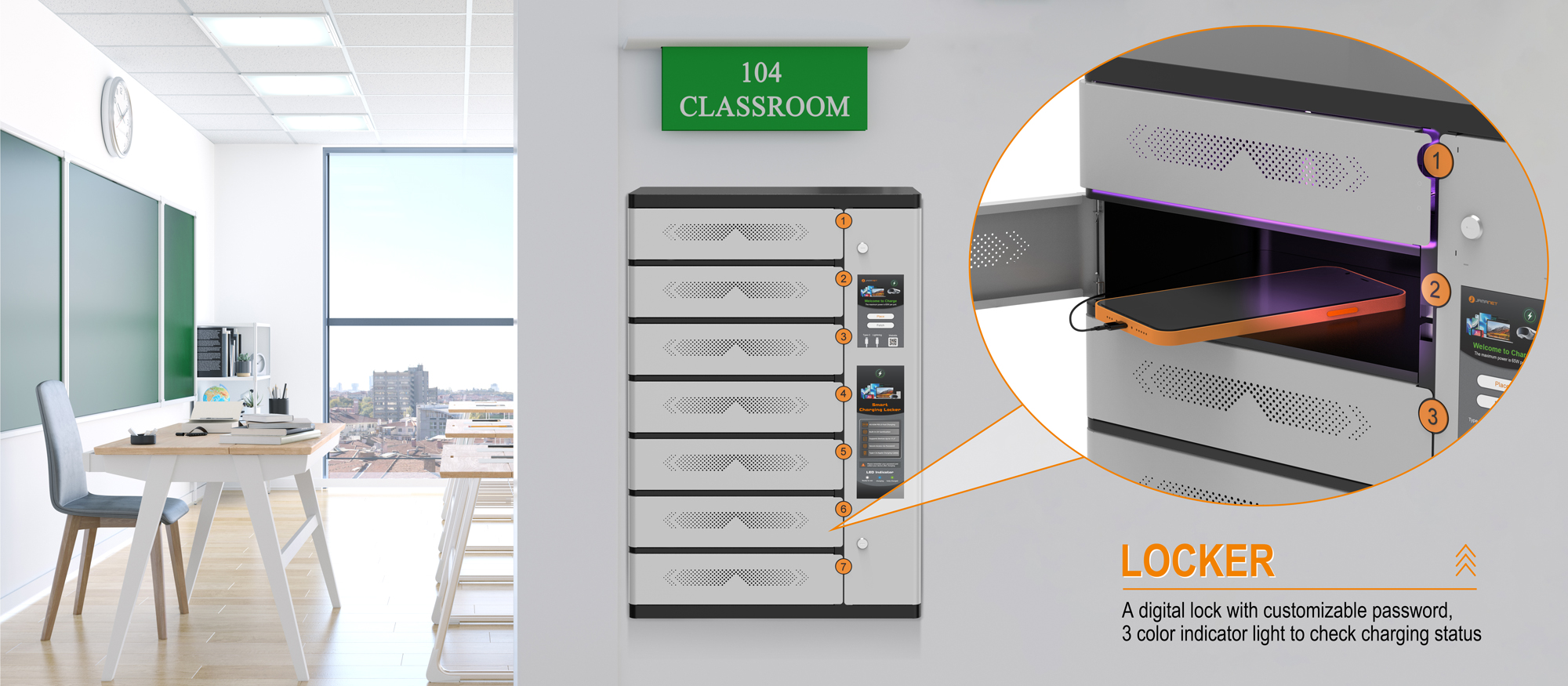
Potential applications include primary and secondary school classrooms, computer classrooms, teacher preparation rooms, school libraries, and digital learning centers. For smaller classrooms, a horizontal and semi-open design may be worth considering because it can provide accessible device storage without requiring a large upright cabinet.
8.2 Offices and Corporate Workspaces
Businesses often maintain shared laptops and tablets for employees, visitors, presentations, and training sessions. A compact laptop charging cabinet can help organize these devices in a designated office area.
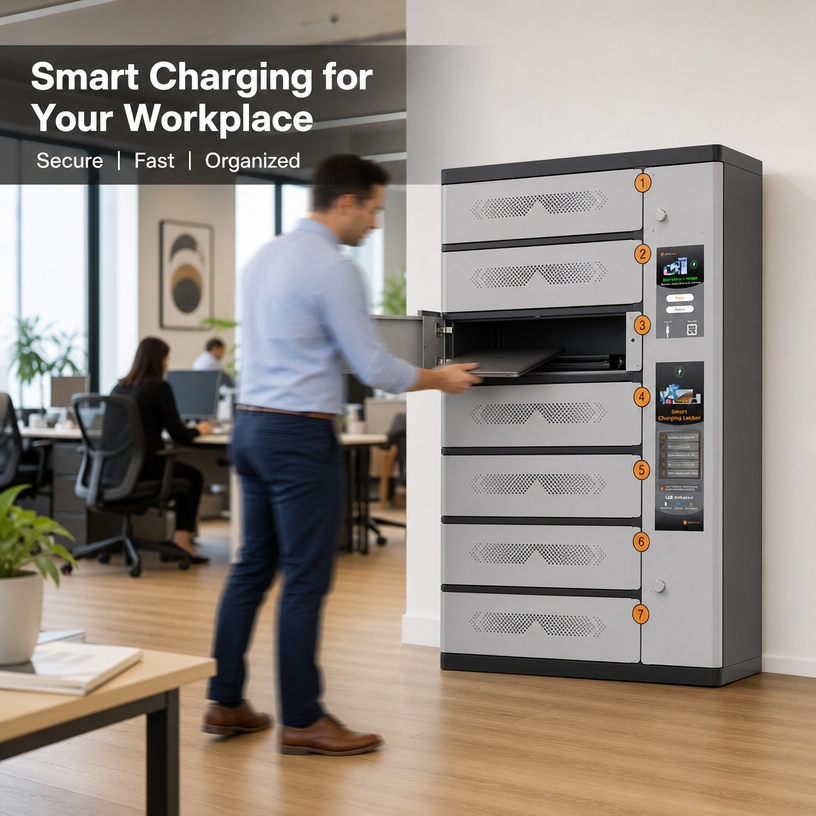
It may be suitable for shared office equipment areas, meeting rooms, training rooms, reception and administration areas, and employee collaboration spaces. A centralized charging location can help employees return devices after use and reduce the number of individual charging points scattered throughout the office.
8.3 Training Centers and Educational Facilities
Training centers frequently use multiple electronic devices for demonstrations, digital courses, and interactive learning. A compact charging cabinet can help staff organize shared tablets and laptops between sessions. Its suitability depends on the number of devices, how frequently they are used, and whether users need quick access between classes.
8.4 Libraries and Shared Learning Spaces
Libraries and shared learning facilities may provide tablets or laptops for visitors. A centralized charging cabinet can help staff maintain an organized storage area and keep shared devices ready for use. For these environments, buyers should also consider whether additional security measures are required, especially when devices are accessible to multiple users.
9. What Should Buyers Consider Before Purchasing?
Before selecting a compact charging cabinet, buyers should evaluate the product from both technical and operational perspectives. The following checklist can help simplify the purchasing process.
| Purchasing Factor | Questions to Ask |
| Cabinet dimensions | Will the cabinet fit the available space? |
| Structural design | Is a horizontal or vertical configuration more suitable? |
| Storage structure | Does the open or semi-open design match the intended workflow? |
| Device compatibility | Can it accommodate the actual tablets and laptops being used? |
| Storage capacity | How many devices need to be stored and charged? |
| Charging interface | Does it support the required USB-A, USB-C, or other connections? |
| Charging power | Is the output sufficient for the connected devices? |
| Cable management | Can cables be organized and maintained easily? |
| Heat dissipation | Is the design suitable for the expected charging load? |
| Security | Are locks or additional access-control features necessary? |
| Maintenance | Can the charging components and cables be accessed for servicing? |
| Customization | Can the manufacturer adjust the configuration to meet project requirements? |
A Note for B2B Buyers: Consider the Complete Application
For distributors, system integrators, and project contractors, choosing a charging cabinet involves more than comparing product prices. It is important to understand the end user’s device types, storage habits, installation environment, and maintenance requirements.
For example, a school may prioritize easy device distribution and centralized charging, while an office may focus more on compact placement and convenient access. A suitable charging cabinet should address the actual application rather than simply offer the highest capacity or the most features.
10. Why Consider a Compact Semi-Open Charging Cabinet from Jamanet?
For organizations looking for a practical way to store and charge tablets and laptops, Jamanet’s compact charging cabinet design offers an alternative to traditional large, enclosed charging cabinets.
Its horizontal layout and semi-open structure are designed around two practical considerations: efficient use of space and convenient device access.
Compared with a bulky upright storage solution, a compact horizontal configuration can be easier to incorporate into selected classrooms, offices, and shared workspaces where available space is limited. The semi-open arrangement also provides a more accessible way to store and retrieve devices, making it worth considering for environments where tablets and laptops are frequently shared.
When evaluating a Jamanet charging cabinet, buyers should confirm the supported device dimensions, charging configuration, capacity, and power specifications according to their project requirements.
As a manufacturer of smart charging products, Jamanet can support B2B customers looking for charging solutions for educational, commercial, and institutional applications. For distributors, importers, and project buyers, selecting the right configuration starts with understanding the devices and the intended application.
Conclusion
Choosing the right compact charging cabinet for tablets and laptops requires more than looking at the cabinet’s external size. Buyers should consider the overall structure, device compatibility, charging capacity, power requirements, cable management, ventilation, and daily operating environment.
For organizations with limited space, a compact horizontal charging cabinet with a semi-open structure can be a practical alternative to larger traditional charging cabinets. It offers a different approach to organizing shared devices while supporting convenient access and centralized charging.
Whether you are purchasing equipment for a school, office, training center, or distribution project, the most suitable solution is the one that matches your actual device requirements and available space.
Looking for a compact charging cabinet for tablets and laptops? Contact Jamanet to discuss your application requirements and explore a suitable charging solution for your project.
Frequently Asked Questions
1. What is a compact charging cabinet?
A compact charging cabinet is a space-efficient storage and charging solution designed to accommodate multiple electronic devices, such as tablets and laptops, within a relatively small footprint.
2. Can a compact charging cabinet charge both tablets and laptops?
It depends on the cabinet’s storage dimensions, charging interfaces, and output power. Buyers should confirm that the specific model supports the sizes and charging requirements of their devices.
3. What is the difference between an open charging cabinet and an enclosed charging cabinet?
An open or semi-open charging cabinet provides more direct access to stored devices, while an enclosed cabinet uses doors or compartments to create a more enclosed storage arrangement. The appropriate option depends on accessibility and security requirements.
4. Is a horizontal charging cabinet suitable for small classrooms?
A compact horizontal charging cabinet may be suitable for small classrooms because its lower-profile structure can fit into selected spaces more easily than some large upright cabinets. Actual suitability depends on its dimensions and the available installation area.
5. What should I check before buying a laptop charging cabinet?
Check the supported laptop dimensions, storage capacity, charging interface, output power, cable management, ventilation, and security requirements. These factors help ensure that the cabinet matches your devices and daily workflow.
6. Can a charging cabinet be customized for different devices?
Some manufacturers offer customization options for storage dimensions, charging configurations, and other product features. Buyers should discuss their device models, quantity, and project requirements with the manufacturer before placing an order.