What to Look for When Buying a Laptop Charging Cart for Schools
Laptops and Chromebooks have become part of everyday learning in many schools. Students may use them for classroom assignments, online assessments, research, group projects, and digital learning platforms. To keep these devices available throughout the school day, schools need a practical way to store, organize, and charge them between lessons.
A laptop charging cart can help bring device storage and charging into one organized system. Instead of leaving computers on desks or asking staff to manage separate chargers and cables, a school can designate a central location for devices when they are not in use. If the cart is designed for the school’s device fleet and daily routines, it can also make collection, distribution, and basic inventory checks easier.
However, not every laptop charging cart is suitable for every school. A primary school with a shared set of Chromebooks may have different needs from a secondary school, a library, a computer lab, or a district technology department managing devices across multiple classrooms.
Before placing an order, purchasing teams should look beyond the number of slots or the exterior appearance. Capacity, device fit, charging compatibility, cable management, ventilation, mobility, security, maintenance, and supplier support all influence whether a cart will work well over time.
This guide explains the main factors schools and education-sector buyers should evaluate when choosing a laptop charging cart.
1. Start with the School’s Device Management Needs
The first step is to understand how the school uses its laptops. A cart should support the actual workflow rather than force teachers and IT staff to adapt to an unsuitable storage arrangement.
Identify Who Will Use the Cart
Consider whether the devices are shared by an entire class, assigned to individual students, used by teachers, or distributed across different rooms. A cart used by one classroom may stay in a single area for most of the day. A cart shared between classrooms may need to be moved frequently and accessed by different staff members.
These differences affect the required capacity, mobility, locking arrangement, and the way devices are labeled and returned.
Estimate the Number of Devices
Count the laptops that need to be stored and charged at the same time. Include devices that may be temporarily out of service, spare units, or computers reserved for particular activities.
Avoid selecting capacity based only on the school’s total device inventory. The relevant figure is the number of devices that must fit in the cart during normal use. If the school expects to expand its laptop program, discuss future capacity requirements before finalizing the purchase.
Map the Daily Routine
Think through how devices move during a typical school day:
- Who collects the laptops before class?
- Where are devices returned after a lesson?
- Does the cart travel between classrooms?
- Are devices charged overnight or between lessons?
- Who checks that laptops are returned and connected correctly?
A laptop charging cart should make these routines more manageable. A product that looks suitable in a catalogue may be less practical if doors are awkward to open, cables are difficult to reach, or the cart is too large for the school’s corridors.
2. Choose the Right Capacity and Compartment Layout
Capacity is one of the first specifications buyers compare, but the number of devices is only part of the decision. The layout must also accommodate the size and shape of the school’s laptops.
Check the Dimensions of the Actual Devices
Measure the largest laptop or Chromebook that will be stored in the cart. Include protective cases if they will remain on the devices during storage. Then compare those measurements with the usable dimensions of each compartment.
Do not rely only on the cart’s external dimensions or a general statement that it supports a certain screen size. Laptop thickness, hinge design, protective cases, and charging connectors can all affect fit.
Consider Accessories and Charging Cables
Some schools store laptops with protective sleeves, styluses, or other accessories. These items may need separate storage or additional space within each compartment.
Check how the charging cable reaches each device and whether students or staff can connect and remove devices without pulling neighboring cables. A compartment layout that is too tight can make daily handling slower and increase the chance of misplaced accessories.
Balance Capacity with Physical Size
A cart with more compartments is not automatically the best choice. Larger capacity can mean a larger footprint, greater weight, or more demanding maneuvering in narrow corridors.
Compare the number of devices with the available storage area, doorway widths, corridor layout, and the people who will move the cart. The goal is to choose a laptop charging cart that meets the school’s capacity needs without making routine movement or storage unnecessarily difficult.
3. Confirm Charging Compatibility Before Buying
A school may use devices from one manufacturer or operate a mixed fleet with different laptop models. The charging system must match those devices.
Understand the Charging Method
Laptops may use USB-C Power Delivery, manufacturer-specific power adapters, or other charging arrangements. Even if multiple devices have USB-C ports, their power requirements may differ.
When reviewing a laptop charging cart, ask the supplier to confirm:
- Supported charging methods and standards.
- Available output power for each device connection.
- Compatibility with the specific laptop or Chromebook models.
- Whether charging adapters are integrated, supplied separately, or arranged inside the cart.
- Whether the system can support the intended number of devices charging simultaneously.
Provide the supplier with a list of device models whenever possible. This is more reliable than choosing a cart based on screen size alone.
Consider Mixed Device Fleets
Schools sometimes replace laptops in stages, meaning older and newer devices may be used at the same time. If this applies to your school, check whether the proposed configuration can accommodate the current fleet and any planned replacements.
Do not assume that one cable or charging port will work with every device. The required power profile, connector, and adapter arrangement should be confirmed for each model.
Review the Total Electrical Load
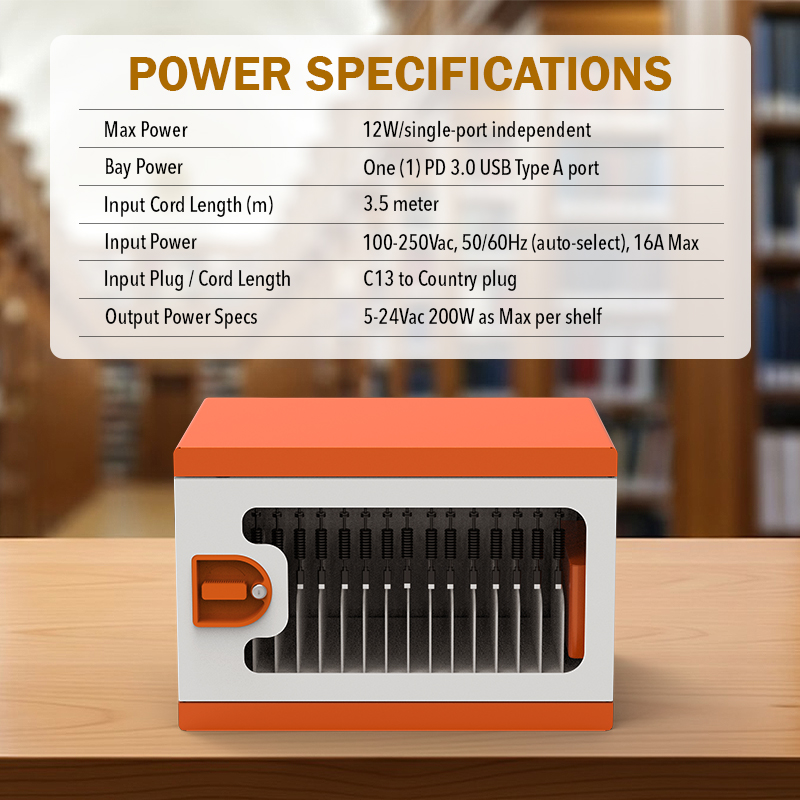
When many devices charge in one cart, the combined electrical load matters. Buyers should confirm the cart’s rated capacity, input requirements, and any limits on simultaneous charging.
The school should also ensure that the intended outlet and electrical installation are suitable for the equipment. Follow the manufacturer’s instructions and applicable local electrical requirements rather than relying on assumptions based on the number of ports.
4. Look Closely at Cable Management
Cable management affects both usability and maintenance. In a school environment, devices may be returned by many students throughout the day, so the charging arrangement needs to be easy to understand and repeat.
A well-organized interior can help prevent cables from becoming tangled, reduce confusion over which connection belongs to which device, and make it easier for staff to inspect the setup.
What to Check
Look for a design that provides a clear route for charging cables and enough space for the required adapters. Depending on the model, useful features may include cable-routing channels, cable clips, dedicated adapter spaces, or clearly arranged device compartments.
Ask for photographs of the cart’s interior, not just its exterior. If possible, request a demonstration showing how a laptop is inserted, connected, removed, and returned to its compartment.
Make the Routine Easy for Students and Staff
The best cable arrangement is one that users can follow consistently. If connecting a laptop requires moving other devices or reaching into a crowded space, staff may find it difficult to maintain the system.
Simple compartment labels or device numbers can also help students return laptops to the correct positions. Clear organization reduces avoidable confusion and makes it easier to notice when a device or cable is missing.
5. Evaluate Ventilation and Electrical Safety
Charging electronic devices produces heat, and the amount depends on the laptops, adapters, charging power, enclosure design, and surrounding conditions. Schools should pay particular attention to the manufacturer’s ventilation guidance and electrical safety documentation.
Check the Ventilation Design
Ask how the cart is intended to manage heat during normal charging. Depending on its design, the product may use passive ventilation, active cooling, or another arrangement. Do not assume that all carts use the same method or require the same airflow.
The cart should be operated in the environment and configuration specified by its manufacturer. Users should avoid blocking ventilation openings or storing unrelated materials in spaces intended for charging equipment.
Verify Electrical Protection Features
Ask the supplier which electrical protection features are included in the specific model. Depending on the product, these may include overload protection or other safeguards, but buyers should verify each feature against the product documentation.
Review the rated input, charging output, total connected load, and any requirements for grounding or installation. Schools may also need documentation to support internal procurement reviews or local compliance checks.
Avoid relying on broad statements such as “completely safe” or “works with all devices.” A responsible purchasing decision is based on documented specifications, the actual deployment environment, and the applicable requirements.
Establish a Basic Inspection Routine
After installation, designate staff to check cables, plugs, doors, wheels, and ventilation openings at appropriate intervals. Any damaged cable or connection should be handled according to the manufacturer’s instructions and the school’s safety procedures.
Routine checks do not replace compliant product design, but they help schools identify visible problems and maintain equipment in suitable working condition.
6. Consider Mobility, Wheels, and Handles
Mobility is a key difference between a laptop charging cart and a stationary laptop charging cabinet. In schools where devices are shared across classrooms, the cart may need to travel through corridors, around desks, and between storage areas.
Match the Cart to the Building
Before purchasing, consider corridor widths, door thresholds, elevator access, floor surfaces, ramps, and storage-room dimensions. A cart that fits in the technology room may still be inconvenient if it cannot pass easily through classroom doors.
Check the cart’s overall dimensions and weight, including the devices that will be stored inside. Ask about the wheel design, braking arrangements, handles, and any guidance on moving the cart safely.
Check Whether Locking Wheels Are Needed
If the cart will remain stationary while students collect devices, locking wheels may help keep it in place during use, if provided by the selected model. Buyers should confirm the actual wheel and brake configuration rather than assuming all carts include the same features.
Decide Whether Mobility Is Really Necessary
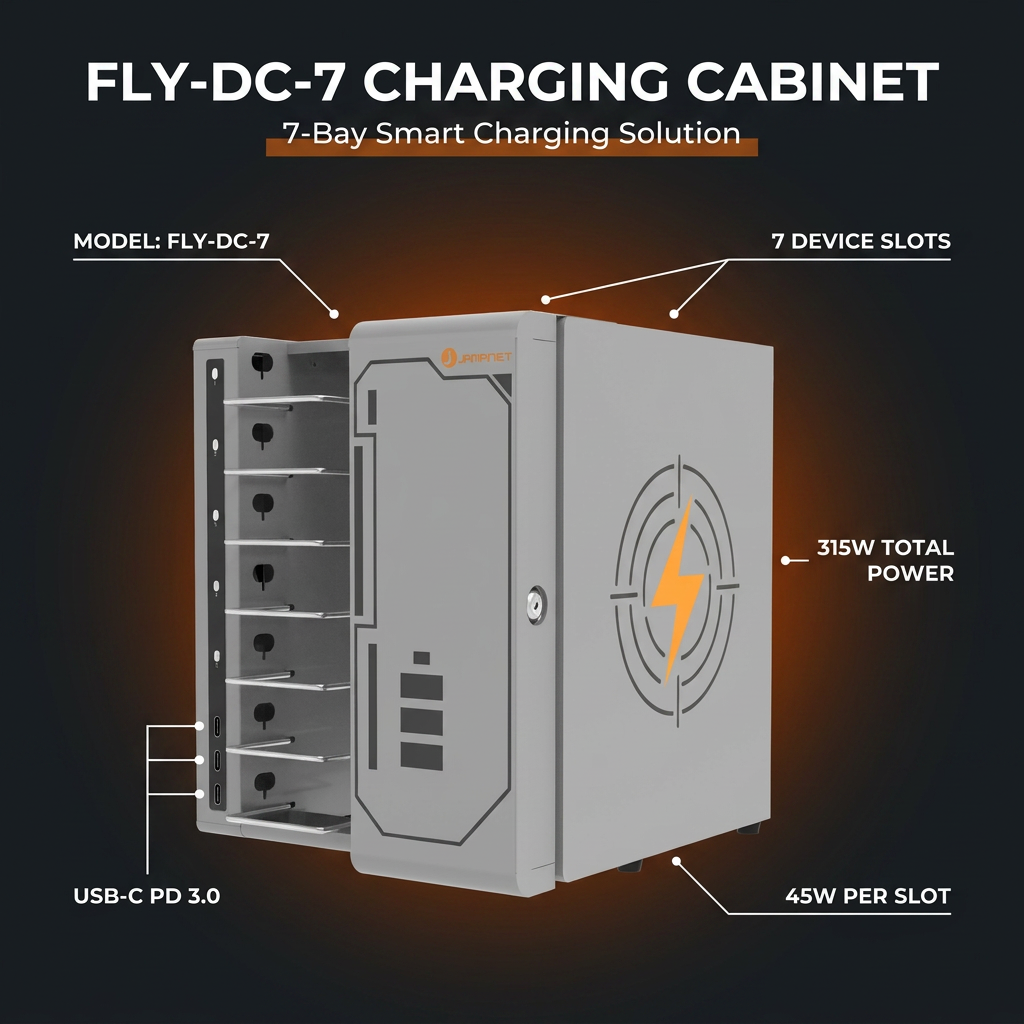
Not every school needs a mobile cart. If laptops remain in one room or a dedicated IT area, a compact laptop charging cabinet may be a better use of space.
For schools that need to move devices between multiple classrooms, a laptop charging cart may be more convenient. The right choice depends on the movement pattern, storage location, and the people responsible for handling the equipment.
7. Review Locking and Access Control
Schools need to keep track of shared devices and limit unauthorized access when laptops are not in use. The appropriate security arrangement depends on the age of the students, the location of the cart, and the school’s internal policies.
Understand the Locking Options
Different models may use a central lock, a key-based system, or other access arrangements. More specialized charging lockers may offer separate compartments, but individual electronic access should only be expected when it is explicitly included in the product configuration.
Ask who will hold the keys or manage access, how the cart will be secured after lessons, and what procedures apply if a key is lost or a lock needs servicing.
Combine Physical Storage with Asset Management
A lock helps control physical access, but it does not replace an inventory process. Schools can label each laptop and assign it a storage position, making it easier to identify missing devices and track equipment across classrooms.
For larger deployments, IT teams may want to maintain an asset register with device identifiers, assigned locations, and maintenance records. This process can be used alongside the cart’s physical storage arrangement.
8. Make Daily Access and Maintenance Straightforward
A laptop charging cart is used repeatedly throughout the school year. Its practical value depends not only on its initial specifications but also on how easily staff can operate and maintain it.
Check Doors, Compartments, and Handles
Doors should be practical to open in the intended location, and compartments should allow users to retrieve devices without awkward handling. If the cart is shared by several teachers, ease of use becomes particularly important.
Where possible, ask to see the cart loaded with devices similar to those used by the school. A demonstration can reveal access issues that may not be obvious from product photographs.
Ask About Replacement Parts and Support
Procurement teams should clarify warranty coverage, service arrangements, spare parts availability, and the process for reporting faults. For a school district purchasing multiple carts, consistent support can be important across different locations.
Also ask whether the supplier can provide user instructions, product drawings, electrical specifications, and maintenance guidance. These documents can help the school’s IT team prepare for installation and ongoing management.
Think About the Total Cost of Ownership
The lowest purchase price does not always represent the best long-term value. Buyers should consider the product’s suitability, expected service life, maintenance requirements, compatibility with future devices, and the support available from the supplier.
A cart that fits the school’s workflow and device fleet may be more useful over time than a lower-priced product that requires awkward workarounds or cannot support the intended laptops.
9. Laptop Charging Cart vs. Laptop Charging Cabinet vs. Charging Locker
These product types address related needs, but they are not interchangeable in every situation. Schools should choose based on how devices are stored, moved, accessed, and charged.
| Product type | Best suited to | Main considerations |
| Laptop charging cart | Shared devices moved between classrooms or learning spaces | Mobility, capacity, wheel design, device access, charging compatibility |
| Laptop charging cabinet | Devices stored and charged in a fixed location | Footprint, compartment dimensions, cable organization, electrical requirements |
| Laptop charging locker | Applications requiring separated storage compartments or individual access | Compartment arrangement, lock type, access process, charging configuration |
 A school that moves one class set of Chromebooks between rooms may benefit from a laptop charging cart. A small school office or IT room with a fixed storage area may prefer a compact laptop charging cabinet. Where separated compartments are important, a charging locker may be worth considering.
The product name alone does not confirm a particular feature. Always verify mobility, locks, charging functions, and compartment arrangements against the actual model specification.
10. Questions Schools Should Ask a Supplier Before Ordering
A clear specification helps purchasing teams compare products and reduces the chance of ordering equipment that does not match the school’s requirements.
Before requesting a quotation, prepare answers to the following questions:
Device fleet
- Which laptop or Chromebook models will be stored?
- What are the dimensions of the largest device, including its case?
- Are all devices using the same charging standard?
Capacity and layout
- How many devices need to be stored and charged simultaneously?
- Is additional capacity likely to be needed in the future?
- Are compartments suitable for the school’s accessories and cables?
Charging and electrical requirements
- What charging methods and output ratings are supported?
- Can the cart support the planned simultaneous charging load?
- What input voltage, plug type, and electrical documentation are available?
Safety and security
- What ventilation and electrical protection features are included?
- What type of lock or access control is supplied?
- Which certifications or compliance documents are available for the target market?
Deployment and after-sales
- Will the cart fit through the school’s doors and corridors?
- Are assembly or installation instructions provided?
- What warranty, spare parts, and technical support are available?
- Can the supplier provide drawings, datasheets, and interior photographs before ordering?
For distributors, education procurement contractors, and IT integrators, it may also be useful to clarify order quantity, customization options, packaging, delivery schedules, and the documentation required for the project.
11. A Practical Buying Checklist for Schools
Use this checklist when comparing shortlisted laptop charging carts:
- ☐ The cart accommodates the school’s actual laptop models and protective cases.
- ☐ The compartment layout provides practical access to each device.
- ☐ The charging method and output requirements have been confirmed.
- ☐ The total electrical load is suitable for the intended deployment.
- ☐ Cable routing and adapter storage are easy to manage.
- ☐ Ventilation guidance and electrical protection documentation have been reviewed.
- ☐ Wheels, brakes, handles, and dimensions suit the building layout, if mobility is required.
- ☐ The locking arrangement meets the school’s access-control needs.
- ☐ Maintenance instructions, warranty terms, and after-sales support are clear.
- ☐ Product drawings and specifications are available for internal approval.
If any key item remains unclear, request clarification from the supplier before finalizing the order. A little preparation can help prevent compatibility and deployment problems later.
Why Consider Jamanet for School Laptop Charging Solutions?
Jamanet, part of Jema Technology Group, focuses on IT infrastructure equipment and smart charging products. Its product range includes laptop charging carts, charging lockers, and other charging solutions designed for different device-storage and charging requirements.
For schools, the starting point is to match the solution to the way laptops are used. A mobile laptop charging cart may suit shared classroom devices, while a compact laptop charging cabinet may be more appropriate for a fixed storage area. A charging locker can be considered when separated compartments or a particular access arrangement is required.
When discussing a project with Jamanet, buyers can provide the laptop models, device quantity, available storage space, charging requirements, intended use, and destination market. This information helps clarify which product format and configuration should be evaluated.
For education distributors, IT integrators, and project procurement teams, it is also useful to discuss product documentation, customization requirements, order quantities, packaging, and after-sales support at an early stage.
Frequently Asked Questions
What is a laptop charging cart used for in schools?
A laptop charging cart stores and charges multiple laptops or Chromebooks in one organized location. Depending on the model, it may also help staff move shared devices between classrooms and manage their return after lessons.
How do I choose the right capacity for a school laptop charging cart?
Start with the number of devices that must be stored and charged simultaneously. Then check the usable compartment dimensions against the largest laptop and any protective case. Consider future device growth, but also account for the cart’s size, weight, and storage location.
Can one laptop charging cart charge different brands of laptops?
It depends on the charging system and the specific devices. Schools should provide the supplier with the laptop models and verify connector type, supported charging standards, output power, and adapter requirements before ordering.
Are laptop charging carts suitable for Chromebooks?
They can be suitable when the cart’s compartment dimensions and charging configuration match the Chromebooks in use. Buyers should confirm compatibility with the exact device models rather than relying only on the term “Chromebook charging cart.”
Should a school choose a laptop charging cart or a laptop charging cabinet?
A cart is useful when devices need to move between classrooms or learning spaces. A cabinet may be a better fit when devices are stored and charged in a fixed location and floor space is limited. The choice depends on the school’s workflow and installation environment.
What safety features should schools check?
Review the product’s electrical ratings, charging capacity, ventilation guidance, applicable protection features, and supporting documentation. The cart should be installed and used according to the manufacturer’s instructions and local requirements.
What information should schools provide when requesting a quotation?
Provide the device models and dimensions, required capacity, charging standards, installation environment, destination country, security needs, and expected order quantity. These details help the supplier recommend a suitable configuration and prepare an accurate quotation.
Choose a Laptop Charging Cart That Fits Your School’s Needs
The right laptop charging cart can help a school keep shared laptops organized, charged, and ready for the next lesson. To make a sound purchasing decision, evaluate the device fleet, compartment layout, charging compatibility, cable management, ventilation, mobility, security, and long-term support together.
A practical solution should fit both the school’s equipment and its daily routines. It should also be supported by clear product documentation and a supplier that can explain the available configurations.
Looking for a laptop charging cart for a school, education project, or distribution business?
Contact Jamanet to discuss your requirements. Share the laptop or Chromebook models, required capacity, charging preferences, school environment, and destination market so that the appropriate laptop charging cart, compact laptop charging cabinet, or charging locker configuration can be evaluated for your project.