Laptops, Chromebooks and tablets are now used throughout schools, training rooms, offices and shared workspaces. The challenge is not simply keeping them charged. Devices also need a consistent place to be stored between lessons, meetings or shifts, without occupying valuable desk space or leaving cables scattered around a room. For organizations with a small or medium-sized device fleet, a compact charging cabinet can offer a practical way to bring charging and storage together.
Not every organization needs a tall bank of full-size lockers or a large mobile charging cart. Sometimes the requirement is much simpler: store a handful of computers neatly, connect them to power, and make sure they are ready for the next user. Compact **charging lockers** and laptop charging cabinets are worth considering for these situations, particularly when the available floor space is limited and devices are managed in one fixed location.
The right product depends on the workflow. Some charging lockers provide a separate lockable compartment for each user, while compact multi-device cabinets may focus on organized slots, USB-C charging and a small footprint. Buyers should check the actual design and security features instead of assuming that every product described as a charging locker includes an individual electronic lock or connected management software.
 What Are Compact Charging Lockers for Computers?
Compact computer charging lockers are storage-and-power solutions designed to keep laptops, Chromebooks or tablets in a designated place while they recharge. Compared with a full-height locker system, a compact unit is easier to place on a counter, workbench, shelf or other suitable surface. Depending on the model, it may also support wall mounting. A slot-based design helps keep devices separated and makes it easier to return each device to its assigned space.
The phrase **charging lockers** is often used broadly in the market. It can refer to public phone-charging lockers with individually locked doors, secure laptop lockers used by employees, or smaller cabinets that organize and charge several devices at once. If the main goal is to charge a small fleet of computers in a tidy, space-saving footprint, a compact laptop charging cabinet may be a closer fit than a large self-service locker bank.
For purchasing teams, the most important details are the number of devices supported, usable slot dimensions, charging output, cable layout, electrical protection and installation options. Locking method, network connectivity and access records should be verified separately if they are required for the project.
Why Choose a Compact Laptop Charging Cabinet?
Make better use of limited space
A large cabinet can be unnecessary when only a few computers need to be stored and charged at one time. A compact unit can fit into a classroom preparation area, an IT support room, an office corner or a shared staff area. Keeping devices together also makes it easier to see where equipment belongs and helps prevent chargers from spreading across desks and power strips.
Keep devices organized between uses
When each laptop or tablet has a designated slot, users have a clear place to return it. This is useful in classrooms, training rooms and workplaces where equipment changes hands throughout the day. A consistent return routine can reduce the time staff spend searching for devices and checking whether they have been put away.
Charge multiple devices from one location
A purpose-built charging unit brings the power connections into one organized system. For USB-C devices, check that the unit supports the relevant charging standard and provides enough power for the actual computer model. The maximum output per port matters: a USB-C connection by itself does not guarantee that a laptop will charge at its expected speed.
Support a repeatable device-management routine
Compact charging lockers can form part of a simple check-in and check-out process. Staff can assign a slot to a device, inspect the cabinet at the end of the day and make sure equipment is connected for the next session. If a project requires user authentication, independent compartment locks or digital usage records, choose a model that explicitly supports those functions.
Where Can Small Computer Charging Cabinets Be Used?
Classrooms and education support rooms
Schools and training centers often use Chromebooks, laptops and tablets for specific lessons or small-group activities. A compact charging cabinet can keep a limited set of devices organized in a classroom, teacher preparation room or IT office. It is particularly useful where a full-size charging cart would be too large or where devices do not need to be transported between rooms. Before ordering, measure the devices with their cases and confirm that the slot depth and height allow them to fit comfortably.
Small offices and meeting rooms
Teams may share a group of laptops for visitors, temporary staff, training sessions or meeting-room use. A compact charging cabinet provides a central place to store and recharge those devices instead of leaving them in drawers or plugged into individual desk outlets. If the computers are valuable or contain sensitive information, consider the site’s wider physical-security policy and whether a separately lockable model is needed.
IT departments and device staging areas
IT staff frequently prepare, update and redistribute laptops and tablets. A compact unit can keep a small batch of devices together while they charge before deployment or after being returned. Organized slots and accessible cables can make routine handling easier. For larger fleets, multiple cabinets or a higher-capacity charging cart may be more appropriate.
Libraries, workshops and shared workspaces
Libraries, community centers and workshops may provide a limited number of shared computers for scheduled use. A small charging cabinet can help keep the equipment in a defined area when it is not being used. In public or semi-public locations, assess who can access the cabinet, how devices are supervised and whether the unit should be installed in a staff-only space.
Key Features to Check Before Buying Charging Lockers
1. Device slot size
Start with the dimensions of the largest laptop or Chromebook in the fleet. Include any protective case, attached accessories and the space needed to connect the charging cable. Compare those measurements with the usable internal slot dimensions rather than the outside dimensions of the cabinet. A compact design is useful only if the devices can be inserted and removed without awkward handling.
2. Output per port and total power
Confirm the power available to each device and the maximum combined output of the whole unit. Some compact chargers are intended for tablets or lower-power Chromebooks, while other laptops may require a higher USB-C Power Delivery rating or a dedicated AC adapter. Check supported protocols, including USB-C PD, and confirm compatibility with the specific device models being used.
3. Cable management
Cables should be easy to connect and remove without tangling across adjacent slots. A tidy cable layout helps users return devices correctly and makes the unit easier to maintain. Ask whether the required charging cables are included, whether they can be replaced and how the design accommodates different connector orientations.
4. Electrical protection and ventilation
A cabinet that charges several computers at once should be used according to the manufacturer’s electrical and ventilation instructions. Check for stated protections such as overcharge and overload protection, the supported input voltage and frequency, and the conformity documents applicable to the destination market. Do not assume that a feature is present unless it appears in the specification for the exact model.
5. Installation and access
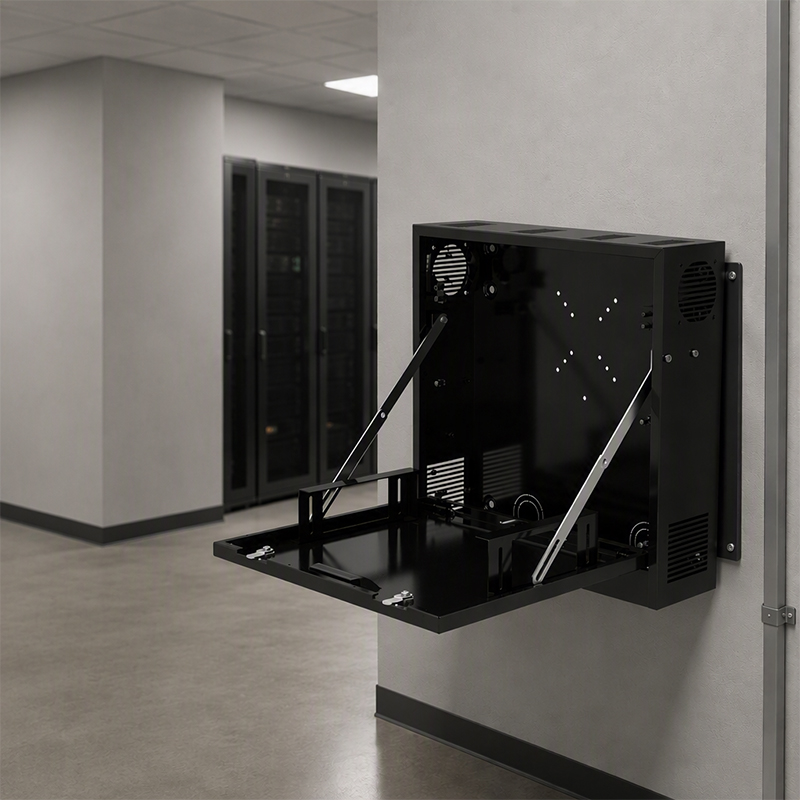
A compact cabinet may be suitable for a countertop, shelf or wall-mounted installation, depending on its design. Check the product’s mounting provisions, weight, cable reach and required clearance before choosing a location. If the cabinet must prevent unauthorized access, verify the locking arrangement and administrator access method; a slot-based charging unit is not automatically an individually lockable smart locker.
6. Warranty and after-sales support
For business and education purchases, serviceability can matter as much as the initial purchase price. Ask about warranty coverage for the cabinet and electronic components, replacement cables or power components, spare-part availability and support response times. For larger orders, it can be useful to request a sample or pilot unit before confirming the final configuration.
Compact Charging Lockers vs. Full-Size Lockers and Charging Carts
These product types address overlapping but different needs. Full-size charging lockers are often selected when individual secure compartments or public self-service access are essential. Charging carts are designed to store and charge larger groups of devices and may be moved between rooms. A compact multi-device charging cabinet is aimed at smaller device groups and fixed work areas where space efficiency and organized charging are the priorities.
Before choosing, consider three questions: Do users need their own independently locked compartment? Must the devices be moved from room to room? How many devices need to charge at the same time? If secure individual access is the main requirement, look for a model whose locking features are explicitly listed. If the main need is compact storage and charging for a small group of laptops, a slot-based cabinet may be the more straightforward solution.
Example: Jamanet FLY-DC-7 Compact Multi-Device Charger
For projects that need a small-footprint solution for a limited number of computers, Jamanet’s FLY-DC-7 is a seven-slot multi-device charger designed for tablets, Chromebooks and laptops. According to the supplied product specification, it combines device storage with USB-C charging in a compact grey, powder-coated SPCC steel enclosure.
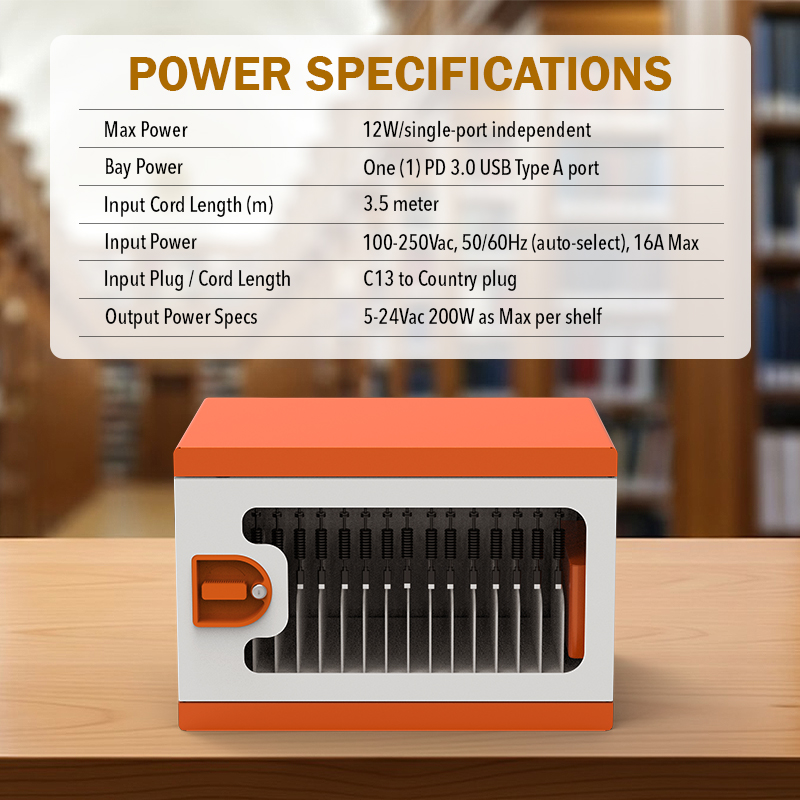
The listed configuration includes seven device slots and seven USB Type-C charging ports, with up to 45 W output per slot and 315 W maximum total power. Supported charging protocols are USB-C PD 3.0, QC 3.0 and PPS. The input is specified as 100–240 V AC depending on the country configuration, with 50/60 Hz auto-selection. The product specification also lists overcharge protection, CE (TUV) and RoHS.
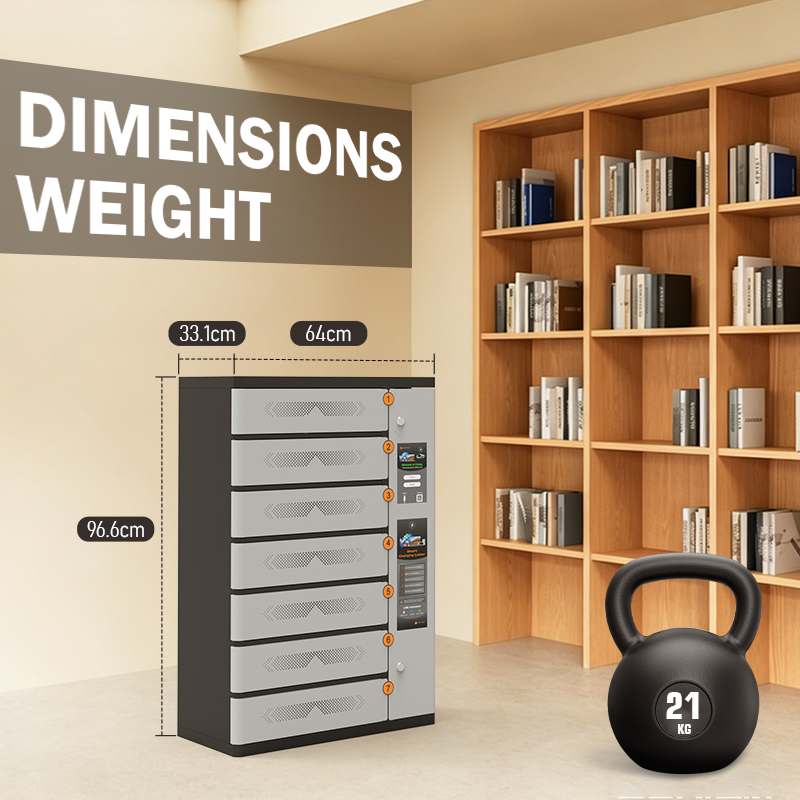
The listed unit dimensions are 35.9 × 41 × 40.4 cm, and the stated device space is 29 × 40.2 × 5 cm per slot. The unit weight is 12.8 kg. A wall-mounted slot is listed as supported, so installation should follow the supplier’s mounting guidance and the requirements of the intended site.
The FLY-DC-7 is a compact multi-device charger with storage slots. Buyers who specifically need individual doors with independent locks, RFID or PIN access, cloud management or usage reports should confirm those requirements separately, as they are not established by the supplied specification. This distinction helps ensure the product is matched to the real workflow rather than selected based on a broad keyword alone.
Questions Buyers Often Ask
Can compact charging lockers store laptops?
Some can, but the answer depends on the usable slot dimensions and the device’s charging requirements. Check laptop width, depth and thickness, including any case, and confirm the output per port before placing an order.
Are compact charging lockers suitable for Chromebooks?
They can be suitable when the slot size and charging output match the Chromebook models in use. For school deployments, also consider how students return devices, where the cabinet will be installed and whether staff need controlled access.
Do all charging lockers have individual locks?
No. The term is used for different product designs. Some systems have individually locked compartments, while others are compact cabinets with open slots for organized storage and charging. Always verify the locking structure in the technical specification.
How many devices should a cabinet hold?
Choose capacity based on the number of devices that need to be stored and charged simultaneously, not only the total number owned by the organization. A small unit may work well for a meeting room, a classroom group or a device staging area, while larger fleets may require multiple units or a charging cart.
What information should be included in a quotation request?
Share the device make and model, device dimensions, required quantity, charging wattage, installation location, destination country and any access-control requirements. If you need wall mounting, custom branding or specific certifications, state these requirements before the supplier prepares the quotation.
Choose a Charging Solution That Fits the Space and the Devices
The most suitable **charging lockers** are not necessarily the largest or most complicated. For organizations managing a small group of computers, a compact charging cabinet can keep devices in one place, simplify daily returns and reduce the mess of separate chargers and cables. The key is to match the cabinet’s physical dimensions, power output and storage arrangement to the actual devices and users.
Before making a decision, check slot dimensions, charging compatibility, total power, electrical protection, installation requirements and after-sales support. If your workflow requires independent locks or smart access features, make those requirements explicit and confirm them against the selected model’s specification.
Jamanet provides device charging and storage solutions for education and business environments. If you are evaluating a compact cabinet for laptops, Chromebooks or tablets, prepare your device list and required capacity first so the product configuration can be matched to your project.