 How to Choose a Laptop Charging Cabinet for Small Offices
In a small office, every square foot has a job to do. Laptops may be shared between employees, moved from meeting rooms to desks, or stored away at the end of the workday. When devices are left on desks or charging cables spread across power strips, a simple routine can quickly become cluttered and difficult to manage. A well-chosen laptop charging cabinet can give a team one designated place to store devices, connect them to power, and prepare them for the next workday.
The best laptop charging cabinet for a small office is not necessarily the largest model or the one with the most features. It is the cabinet that fits the available space, suits the number and type of devices in use, keeps cables organized, and makes everyday access straightforward. This guide explains the main points office managers, IT teams, and business buyers should consider before choosing a compact laptop charging cabinet.
1. Start with the Way Your Office Uses Laptops
Before comparing cabinet sizes or specifications, look at how laptops move through the workplace. Some small offices assign one laptop to each employee. Others keep a pool of shared devices for visitors, temporary staff, training sessions, field teams, or hot-desking employees. The storage and charging routine will be different for each setup.
If devices are shared, a central laptop charging cabinet can help employees return equipment to a consistent location instead of leaving it on meeting-room tables or plugging it into whichever outlet is available. For a team that works across several shifts, it can also make it easier to check that laptops have been returned and connected for charging.
Make a quick inventory before purchasing: count the laptops that need to be stored, identify who needs access, and note whether other devices such as tablets are part of the same workflow. Consider when devices are usually charged—overnight, between meetings, or during the workday. These details will help determine the cabinet’s capacity, layout, and access requirements.
2. Measure the Available Space First
Space is often the deciding factor for a small office. A cabinet that looks compact in a product photo may still interfere with a doorway, storage cupboard, desk aisle, or shared work area. Measure the intended location before selecting a laptop charging cabinet, and check the full external dimensions rather than relying on a general description such as “space-saving.”
Think about how the cabinet will be used when its door is open. Staff should be able to place a laptop inside and connect its cable without blocking a walkway. If the cabinet is to sit beneath a counter or beside a printer, confirm that there is enough clearance for ventilation, power access, and routine cleaning. Also check the distance to a suitable power outlet and whether cables would cross a walking route.
A compact laptop charging cabinet can be especially useful where a full-size charging cart would take up too much floor space. The goal is to keep devices organized without creating a new obstacle. If the office may expand, leave some room for a future change in device count or layout rather than choosing a cabinet that only works under today’s exact conditions.
3. Choose Capacity Based on Real Device Dimensions
Capacity should be assessed in terms of the laptops your team actually owns—not just the number of slots listed in a product description. Laptop sizes, cases, hinges, charging plugs, and cable routing can all affect how comfortably devices fit. A cabinet intended for compact laptops may not suit larger workstations or devices stored inside protective sleeves.
Check the internal dimensions of each compartment or shelf, including usable width, height, and depth. If staff need to store laptops with cases attached, include those cases in your measurements. Ask whether the layout allows devices to be removed without moving several other laptops first. A little room for handling can make daily use much easier.
A practical laptop charging cabinet balances current needs, realistic growth, and ease of access. If the office stores a mix of laptops and tablets, confirm that the compartment design accommodates the actual device mix.
4. Check Charging Compatibility Before You Buy
A laptop charging cabinet needs to work with the devices and charging equipment used by your organization. Laptop brands and models may use different power adapters, USB-C charging arrangements, and power requirements. Do not assume that a cabinet supports every laptop simply because the product is described as a laptop charging solution.
Prepare a list of device models and charging adapters, then ask the supplier to confirm compatibility. Clarify whether the cabinet is designed to accommodate the original adapters, USB-C power supplies, or another specified charging arrangement. Confirm how many devices can be charged at the same time and what electrical requirements apply to the configuration being quoted.
If your organization plans to refresh its laptops, consider likely future compatibility as well as the devices currently in service. A supplier should be able to explain the supported setup clearly and identify any limits. For a B2B purchase, written confirmation of compatibility is more useful than a broad promise that the cabinet works with “all laptops.”
5. Look for Practical Cable Management
Cable management is one of the details that determines whether a laptop charging cabinet remains useful after months of daily operation. Without a clear routing plan, charging cables can become tangled, slip behind shelves, or make it difficult to remove one device without disturbing the others.
Look for a layout that allows cables to be routed neatly and keeps plugs accessible. The cabinet should make it possible to identify which cable belongs to which device, while reducing loose cable loops that can catch on laptop corners or doors. If original power adapters are used, check where those adapters will sit and whether their cables can be arranged without putting unnecessary strain on connectors.
A simple routine helps too. Labeling devices or cables, returning each laptop to the same position, and checking for damaged cords during regular maintenance can reduce confusion. Ask the supplier to show how cables and adapters are arranged in the proposed model, rather than evaluating cable management from an exterior photograph alone.
6. Consider Ventilation and Electrical Safety
Charging devices generate heat, and the cabinet’s layout should suit the intended charging setup. Check the manufacturer’s guidance on ventilation, spacing, permitted charging arrangements, and any restrictions on operating the cabinet with doors closed. Do not assume that a cabinet is suitable for continuous charging in every configuration without checking its documentation.
For business purchasing, request the relevant electrical specifications, safety documentation, and instructions for installation and use. Confirm that the proposed setup is appropriate for the destination market and local electrical requirements. The office should use suitable outlets, avoid overloaded extension arrangements, and follow the device and cabinet manufacturers’ instructions.
A neat cabinet can support safer day-to-day habits, but it does not replace correct electrical installation or regular inspection. If a supplier makes specific claims about protection, certification, or charging control, ask for documentation that applies to the exact model being purchased.
7. Make Security and Everyday Access Part of the Decision
Laptops can contain business documents, customer information, and access to company systems. A designated storage location can help reduce the risk of devices being misplaced, but the appropriate level of physical security depends on the office environment. A small team in a controlled office may have different needs from a shared workspace with visitors and contractors.
Consider who will open the cabinet, whether access should be limited, and how devices will be returned at the end of the day. If the selected model includes a lock, confirm how it operates and who will manage keys or access credentials. Do not assume that every laptop charging cabinet includes an electronic lock, user identification, or remote monitoring; these are model-specific features that should be verified.
Keep the routine simple enough that employees will follow it. Clear labels, an agreed return process, and a visible place for each device can be just as important as the locking mechanism.
8. Think About Cleaning, Maintenance, and Long-Term Use
The initial purchase price is only one part of the cost of owning a laptop charging cabinet. Over time, teams may need to replace cables, clean shelves, update labels, or accommodate new laptop models. A practical cabinet should allow routine checks to be carried out without an unnecessarily complicated process.
Ask how to access power connections for inspection, how to clean the interior, and which parts—if any—are intended to be replaceable. Confirm the supplier’s warranty terms, after-sales process, availability of replacement parts, and expected lead times. For an overseas buyer, it is also useful to clarify packaging, shipping arrangements, documentation, and who to contact if a problem arises after delivery.
For distributors and IT integrators, a supplier that can communicate specifications accurately and support repeat orders may be more valuable than a low price alone.
9. Laptop Charging Cabinet or Laptop Charging Cart?
A laptop charging cabinet and a laptop charging cart can both support device storage and charging, but they are not interchangeable in every workplace. The right choice depends on whether devices need to remain in one place or move between rooms.
| Consideration | Laptop Charging Cabinet | Laptop Charging Cart |
| Typical role | A designated place for storing and charging devices | Storage and charging where devices may need to be moved |
| Space planning | Can suit a fixed office location or compact storage area | Needs space for the cart itself and movement through the workplace |
| Best fit | Teams that mainly return laptops to one location | Teams that distribute laptops between rooms or work areas |
| Questions to ask | Internal dimensions, access, power arrangement, ventilation | Mobility, wheel locking, handle design, capacity, power arrangement |
For a small office with a stable device-return point, a compact laptop charging cabinet may be the more space-conscious option. If staff regularly move a group of laptops from one room to another, a charging cart may be more appropriate. Compare the actual product dimensions and features rather than choosing based on the product name alone.
10. Questions to Ask a Laptop Charging Cabinet Supplier
Before requesting a quotation or placing an order, prepare a short checklist:
- What are the cabinet’s external dimensions and usable internal dimensions?
- Which laptop sizes and charging arrangements does the proposed model support?
- How many devices can be stored, and how many can be charged simultaneously in the specified configuration?
- How are cables and power adapters arranged inside the cabinet?
- What ventilation and electrical-use instructions apply?
- What locking or access-control features are included in this exact model?
- What warranty, replacement parts, and after-sales support are available?
- Can the supplier provide drawings, product photos, manuals, and relevant compliance documents?
- What are the minimum order quantity, lead time, packaging details, and shipping options?
- Can the supplier discuss customization if the office has a specific size or device mix?
11. Why a Compact Laptop Charging Cabinet Can Make Sense for Small Offices
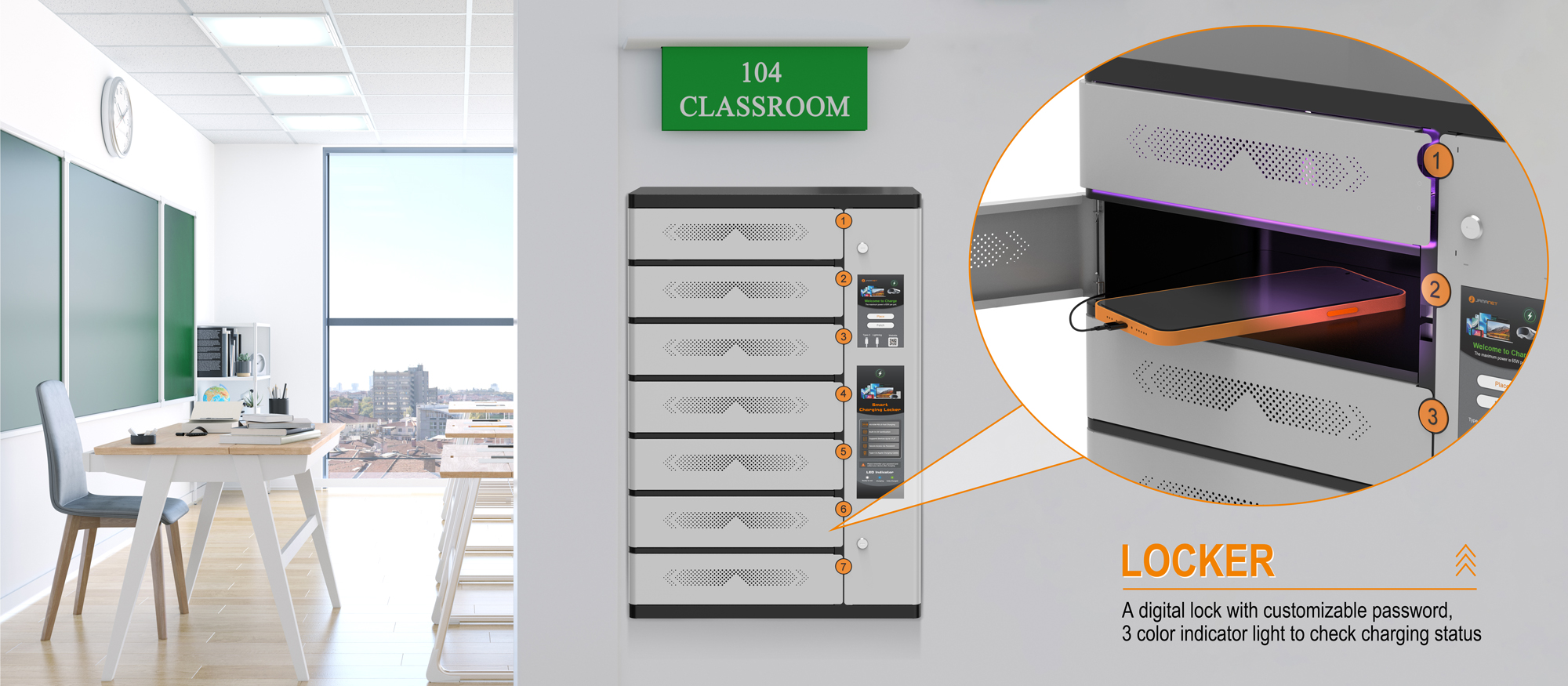
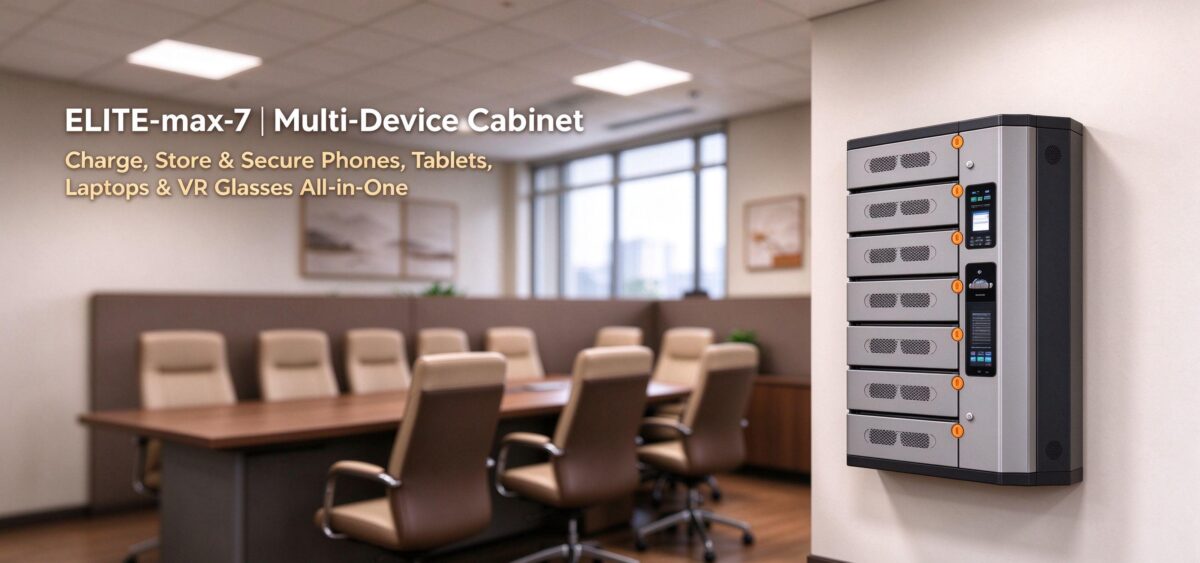
Small offices often need a straightforward way to keep shared laptops in one place without giving up too much floor space. A compact laptop charging cabinet can bring storage and charging into a single designated area, reduce the visual clutter of loose devices and cables, and make it easier for staff to follow a consistent return routine.
The benefit comes from matching the cabinet to the real workflow. A carefully selected model should fit the room, hold the intended devices comfortably, support the chosen charging arrangement, and remain easy to use during a busy workday. Buyers should confirm dimensions, compatibility, safety guidance, and included features before making a decision.
Choosing a Laptop Charging Cabinet from Jamanet
Jamanet, part of Jema Technology Group, focuses on IT infrastructure equipment and smart charging products. For businesses evaluating a laptop charging cabinet, the right starting point is to define the device types, quantity, available installation space, and preferred charging arrangement.
Whether you are equipping a small office, managing shared laptops, or sourcing products for a B2B project, provide these details when contacting the Jamanet team. They can help you review the relevant product options and confirm the specifications that matter for your application. Always verify model-specific dimensions, compatibility, safety documentation, and optional features before placing an order.
Frequently Asked Questions
What is a laptop charging cabinet used for?
A laptop charging cabinet provides a designated place to store laptops and connect them to charging equipment. Depending on the model, it may help organize devices and cables in offices, schools, training rooms, or other shared-device environments.
How do I choose the right capacity for a small office?
Count the devices that need to be stored, measure their dimensions with any cases attached, and consider whether the number may grow. Check usable internal space and cable access instead of relying on slot count alone.
Can a laptop charging cabinet charge different laptop brands?
Compatibility depends on the cabinet’s design and the charging equipment used. Provide the supplier with your laptop models and power-adapter details, and request confirmation for the exact configuration.
Is a laptop charging cabinet better than a charging cart?
Neither option is always better. A cabinet may suit a fixed storage point in a small office, while a cart can be more useful when devices need to move between rooms. Compare the actual layout and workflow.
What should I check about safety?
Review the manufacturer’s charging and ventilation instructions, electrical specifications, and applicable documentation. Use the equipment as directed and ensure that the installation meets local electrical requirements.
What information should I send a supplier for a quotation?
Share the quantity of laptops, device models and dimensions, charging requirements, available space, destination country, expected order quantity, and any locking or customization requirements.
Conclusion: Choose for Your Space and Daily Workflow
Choosing the right laptop charging cabinet for a small office starts with a clear picture of how devices are stored, charged, and returned. Measure the available space, confirm real device capacity, check charging compatibility, and pay attention to cable management, ventilation, security, and ongoing support. The best solution is the one that fits the office’s daily routine without adding unnecessary complexity.
Looking for a compact laptop charging cabinet for your business or distribution project? Contact Jamanet to discuss your device requirements, available space, and purchasing needs. Share your laptop models and target quantity so the team can help identify a suitable solution.
Editorial Notes (For Website Publishing)
Publishing recommendation: Add links from this article to the relevant laptop charging cabinet product page, laptop charging cart page, and contact/inquiry page. Use product-specific images showing a compact cabinet storing laptops, internal cable routing, and the cabinet in a small office environment.
Before publishing, confirm all product references against current Jamanet specifications. Do not add unverified claims about capacity, charging speed, certifications, locks, monitoring, fire protection, or customization. If a specific model is being promoted, add its verified dimensions, supported devices, and relevant documentation.