 Laptop Charging Locker: Why Secure Storage and Charging Should Work Together
Laptops are now shared across classrooms, training rooms, offices, libraries and other managed environments. They support daily work, learning and collaboration, but keeping a group of devices ready for use can create a practical challenge. Devices need a designated place to be stored, charging cables need to be managed, and access should be controlled when laptops are not in use.
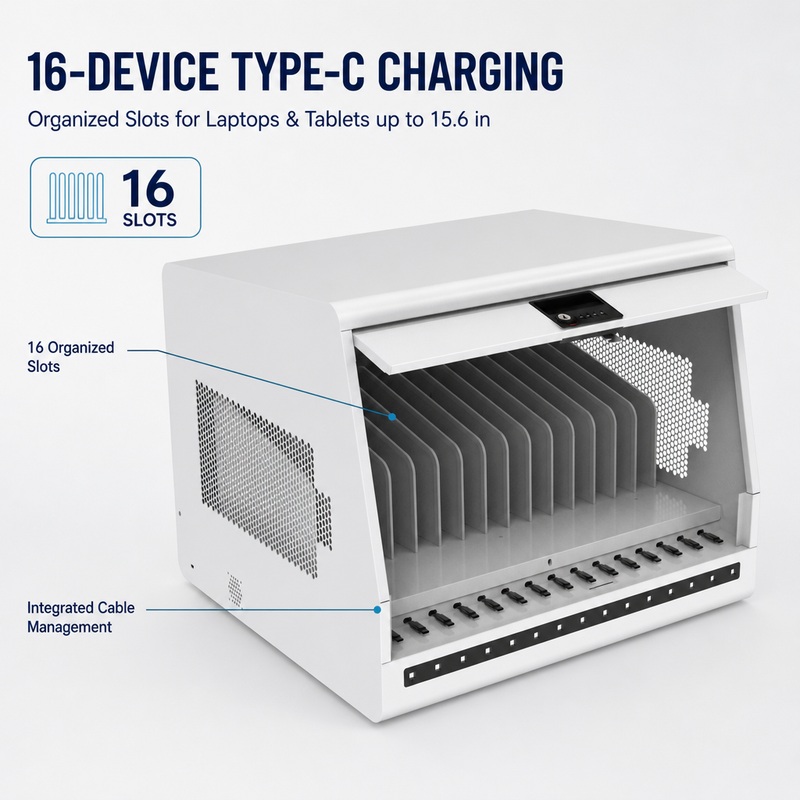
A laptop charging locker combines two essential functions: organized device storage and charging. Instead of leaving laptops on desks or connecting them to scattered power adapters, an organization can keep devices in assigned compartments and charge them in one managed location. For schools, offices and IT teams responsible for shared equipment, this can make device handover, daily charging routines and storage management easier.
However, not every product described as a laptop charging locker offers the same layout or charging capability. Buyers should look beyond the product name and evaluate compartment dimensions, the number of charging ports, output configuration, security, ventilation and electrical protection. This guide explains the key points to review and uses the Jamanet ELITE-max-7 as a practical product example.
1. What Is a Laptop Charging Locker?
A laptop charging locker is a cabinet or locker-style solution designed to store portable electronic devices while supplying power for charging. Depending on the design, it may contain individual compartments, shared shelves, dedicated charging ports, cable-management features and locking mechanisms.
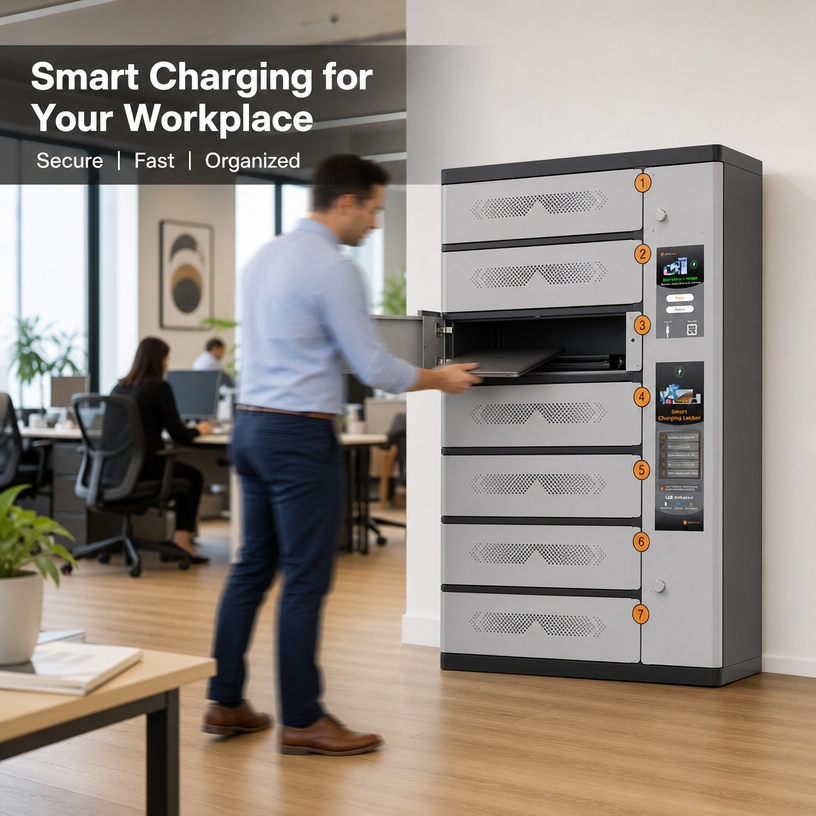
The individual-compartment design is especially useful when devices are assigned to different users or departments. Each laptop can be placed in a defined space, connected to a charging port and secured when unattended. This arrangement can reduce desk clutter and help staff identify where devices should be returned.
The term can also cover multi-device lockers that accommodate more than laptops. Some models are suitable for tablets, mobile phones or VR headsets, provided that the compartment dimensions and charging interfaces match the devices. Before purchasing, always compare the actual internal space and charging specification with the equipment in your inventory.
2. Where Can a Laptop Charging Locker Be Used?
Schools and Education Facilities
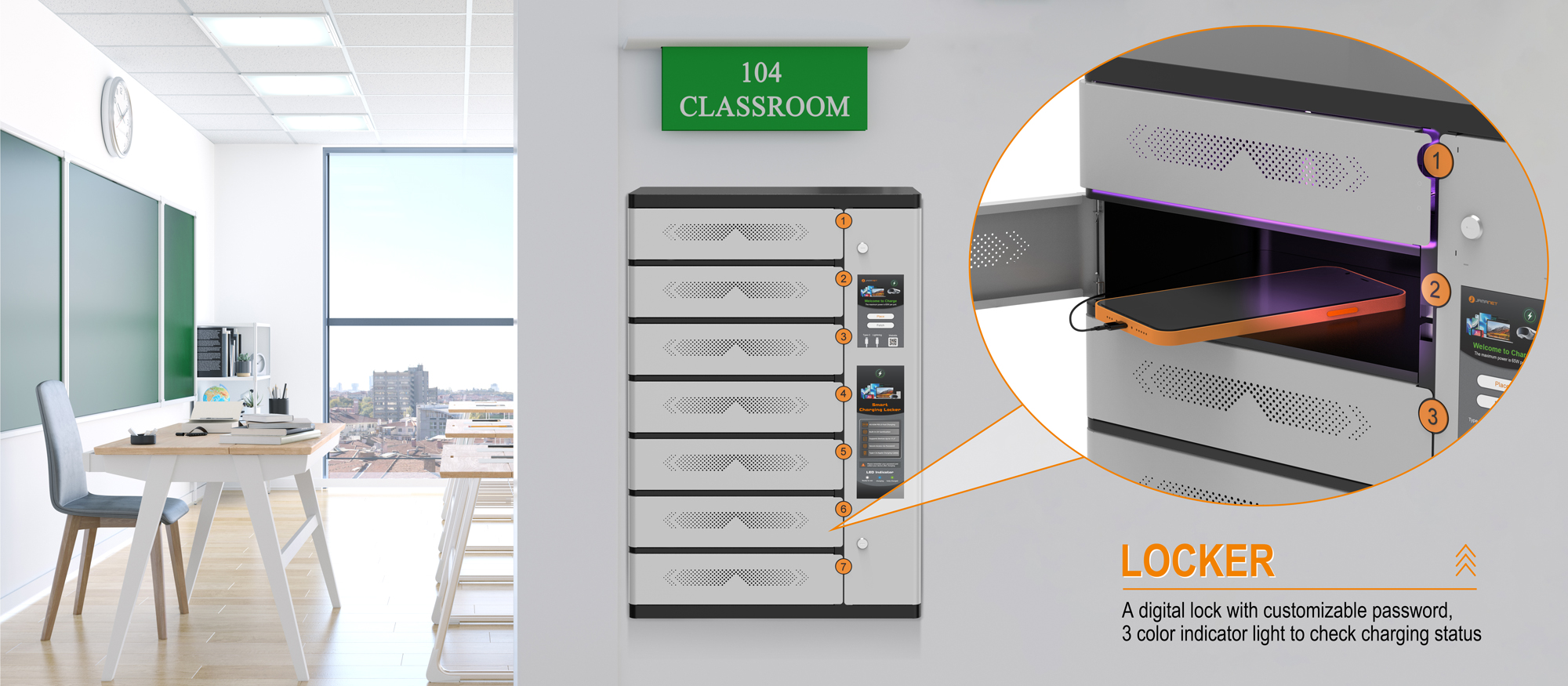
Schools often manage devices that move between classrooms, libraries and learning spaces. A laptop charging locker gives staff a central location for storing and charging shared equipment between lessons. Individual locks can help separate access, while a defined return location supports a consistent collection routine.
Offices and Shared Workspaces
In offices where laptops are shared by visitors, temporary staff or rotating teams, a locker can keep devices together when they are not in use. It can also be placed in a designated equipment area rather than allowing chargers and laptops to occupy meeting-room tables or workstations.
IT Departments and Device-Lending Programs
IT teams may need to issue, collect and recharge a small fleet of laptops or other portable devices. A multi-compartment locker creates a consistent storage point and can make it easier to establish routines for returning equipment at the end of a shift, class or loan period.
Libraries, Training Centres and Public Facilities
Libraries and training facilities may provide devices for short-term use. A secure charging location helps staff keep equipment organized between sessions. The right configuration depends on the number of devices, the level of user access required and the physical dimensions of each device.
VR and Other Portable Device Environments
Some multi-device charging lockers can also be used for VR glasses and other portable electronics. Buyers should confirm the shape and clearance of each compartment, including room for headsets, protective cases and cables. Device compatibility should be confirmed model by model rather than assumed from the product category.
3. Seven Important Factors to Consider Before Buying
1) Compartment Size and Device Compatibility
Capacity is not only the number of devices a locker can hold. The internal dimensions of each compartment determine whether a laptop can be inserted and removed comfortably. Check device width, depth and thickness, and allow for protective cases, connectors and cable routing where applicable.
For example, the Jamanet ELITE-max-7 specification lists a device-space size of 44.8 × 32.8 × 12.0 cm. Buyers should compare these stated dimensions with their actual laptop or tablet models and confirm the usable clearance and compartment layout with the supplier before placing an order.
2) Number of Compartments and Charging Ports
A locker should match the number of devices that need to be stored and charged at the same time. Also check whether each compartment has a corresponding charging port. A product with seven storage positions and seven charging ports, for example, is designed around a different use case from a cabinet with many storage spaces but only a few shared outlets.
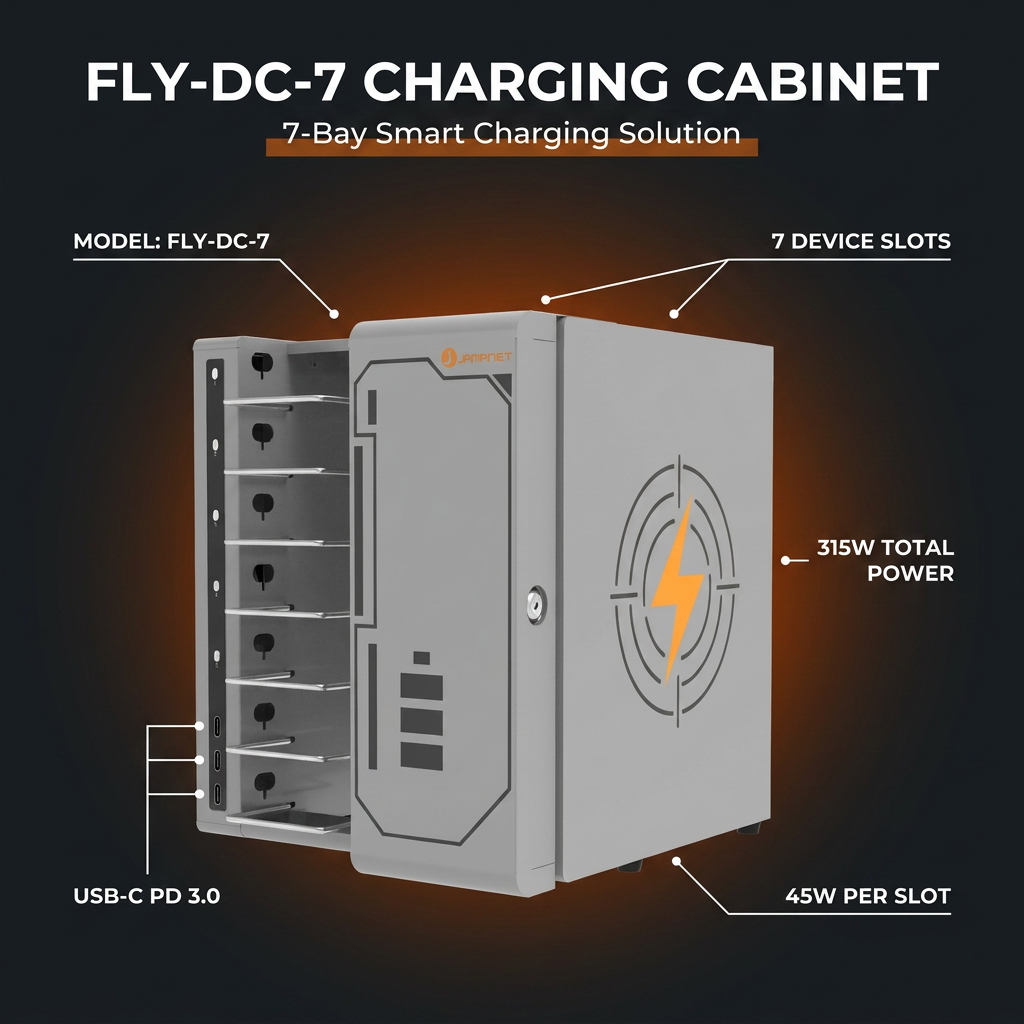
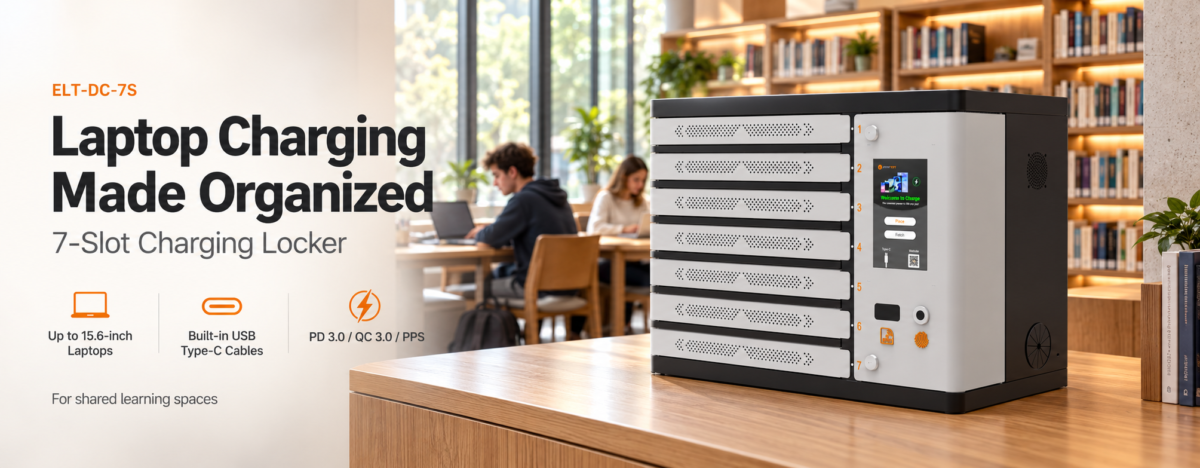
The ELITE-max-7 is specified with seven device slots, seven single-shelf slots and seven charging ports. This makes it a compact option for organizations that need a defined seven-device charging and storage point.
3) Charging Interface and Output
Charging compatibility is a critical purchasing factor. Check the connector type, supported charging protocols and output configuration against the devices being used. USB Type-C is widely used across newer laptops, tablets and mobile devices, but not every USB-C device supports the same charging requirements.
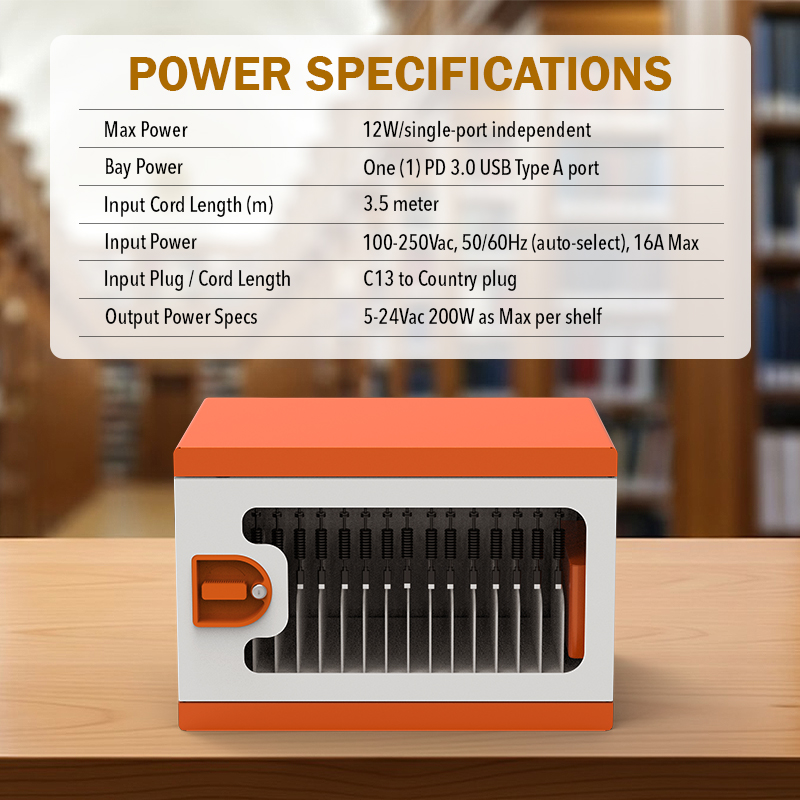
The ELITE-max-7 uses USB Type-C charging and lists support for PD 3.0, QC 3.0 and PPS. Its charging output capacity is specified as 45/65W, with a maximum cart power of 350W. The exact output option and how power is allocated across simultaneously connected devices should be confirmed for the ordered configuration. Do not assume that every port continuously delivers the maximum stated output when all ports are in use.
4) Individual Locks and Access Control
A locker is expected to provide more controlled storage than an open shelf. Check the lock type, how users receive keys or credentials, and whether access is separated by compartment. Individual locks can be useful when devices are assigned to different users or groups.
The ELITE-max-7 is specified with locking and an independent key for each locker. This arrangement allows each compartment to be secured separately. For deployments that require centralized access management, electronic locks or audit records, buyers should check whether those functions are available on the selected model; they are not listed in the supplied specification.
5) Cooling and Electrical Protection
Charging several electronic devices in an enclosed cabinet makes thermal management and electrical protection important. Review the ventilation design, cooling method, overload protection and circuit protection. The correct installation environment and operating instructions should also be followed.
The supplied ELITE-max-7 specifications list a built-in circuit breaker, overload protection, overcharge protection and an included cooling fan. These features are relevant to buyers comparing multi-device charging equipment. They do not replace the need to follow the product manual, use compatible devices and observe local electrical requirements.
6) Cable Management and Daily Operation
Loose cables can make a charging area difficult to maintain and can slow down device handover. A cable-management arrangement helps keep charging leads organized and reduces the chance of cables becoming tangled or misplaced. Consider how users will connect devices, close compartments and retrieve equipment without pulling on cables.
The ELITE-max-7 includes cable management and a 2.6 m input cord. Check the final installation position and the location of the power outlet before deployment so the cable can reach safely without creating a trip hazard or relying on an unsuitable extension arrangement.
7) Construction, Dimensions and Installation
The cabinet should fit the available space and withstand the expected daily use. Review the material, external dimensions, weight, finish and whether the product is intended to be placed on the floor, mounted or installed in another way. Also consider delivery access, packaging dimensions and the route from the loading area to the final location.
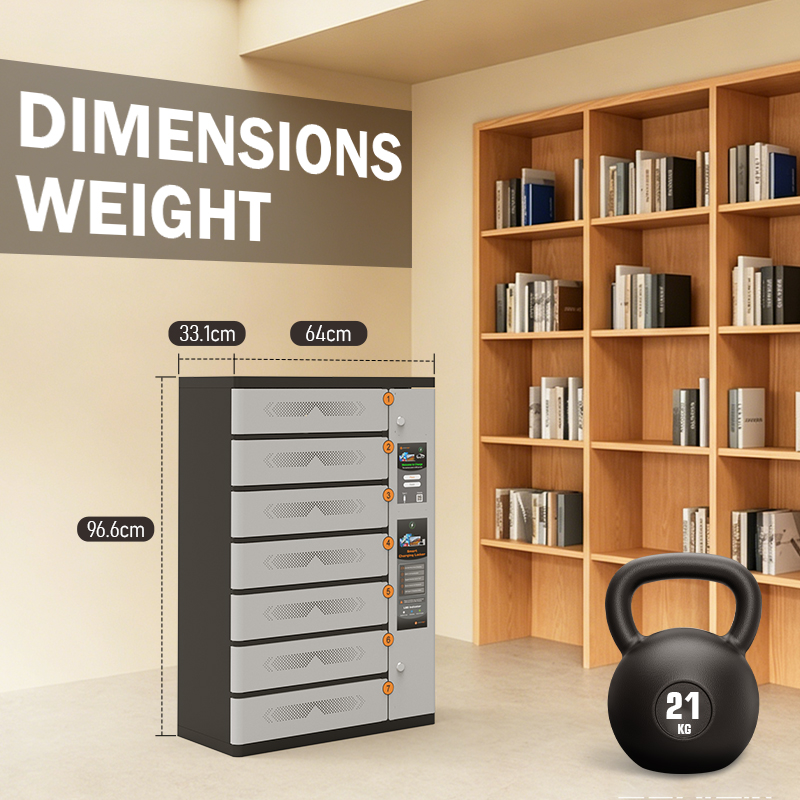
The ELITE-max-7 uses powder-coated steel and is listed in black and grey. Its unit dimensions are 64.0 × 33.1 × 96.6 cm, and its unit weight is 21 kg. The listed shipping dimensions are 70 × 102 × 38.6 cm, with a shipping weight of 23 kg. The specification also identifies a wall-mounted slot; ask the supplier to clarify its intended use and installation requirements for the exact configuration.
4. Product Example: Jamanet ELITE-max-7 Laptop Charging Locker
For organizations that need a compact multi-device charging and storage solution, the Jamanet ELITE-max-7 combines seven individual device positions with USB-C charging and keyed access. Its stated supported device categories include mobile phones, tablets, laptops and VR glasses. The final fit depends on the dimensions and shape of the devices.
The model uses a powder-coated steel housing and includes a cooling fan, cable management and several listed electrical protection features. UV light is available as an option. This option should be specified at the quotation stage if it is required; it is not part of the stated standard configuration.
| Specification | ELITE-max-7 |
| Product type | Multi-device charger with charging and storage functions |
| Supported device categories | Mobile phones, tablets, laptops and VR glasses |
| Device slots / charging ports | 7 / 7 |
| Compartment device space (listed) | 44.8 × 32.8 × 12.0 cm |
| Charging interface | USB Type-C |
| Charging protocols | PD 3.0, QC 3.0, PPS |
| Charging output capacity | 45W / 65W (configuration to be confirmed) |
| Maximum cart power | 350W |
| Locking | Independent key for each locker |
| Electrical protection | Built-in circuit breaker, overload protection and overcharge protection |
| Cooling and cable management | Cooling fan included; cable management provided |
| Housing | Powder-coated steel; black and grey |
| Unit dimensions | 64.0 × 33.1 × 96.6 cm |
| Unit weight | 21 kg |
| Input voltage / frequency | 100–250V AC (country-dependent); 50/60 Hz auto-select |
| Input cord | 2.6 m; C13 European-standard plug listed |
| Optional feature | UV light |
| Warranty | Steel cabinet: 2 years; electronics: 1 year |
| Compliance listed | CE; RoHS |
Important purchasing note: the supplied specification gives a 45/65W output description but does not identify the precise port-by-port power allocation under different load conditions. Confirm the required output version, simultaneous charging performance, connector details and compatibility with the target laptop models before finalizing the order.
5. Laptop Charging Locker vs. Laptop Charging Cart vs. Charging Cabinet
These product terms are sometimes used interchangeably, but buyers should focus on the physical design and operating purpose rather than the label alone.
| Solution | Typical design | Common priority | What to verify |
| Laptop Charging Locker | Individual or separated compartments with locks | Secure storage and controlled access | Compartment dimensions, lock type, port count |
| Laptop Charging Cart | Mobile cabinet or cart, often with grouped device storage | Moving devices between rooms or locations | Wheels, handle, capacity, charging layout |
| Laptop Charging Cabinet | Stationary cabinet with shelves or compartments | Centralized storage and charging | Footprint, shelf layout, ventilation, power system |
6. Questions to Ask a Laptop Charging Locker Supplier
- How many devices can be stored and charged at the same time?
- What are the usable internal dimensions of each compartment?
- Which laptop sizes and device categories have been tested for fit?
- Does each compartment have its own charging port?
- What charging protocols and output options are supported?
- How is power distributed when several devices charge simultaneously?
- What type of lock is used, and is each compartment independently secured?
- What cooling and electrical protection features are included?
- Are UV light or other optional functions available, and how are they configured?
- What are the input voltage, plug type and local compliance requirements?
- What warranty applies to the cabinet and electronic components separately?
- Can the supplier provide drawings, a user manual and confirmation of compatibility before ordering?
7. A Practical Pre-Purchase Checklist
- Measure the laptops and any protective cases that will be stored.
- Confirm the usable compartment dimensions, not only the external cabinet size.
- Match the number of compartments and charging ports to the number of devices.
- Verify USB-C charging compatibility and the required output for each device model.
- Ask for the power-allocation details when multiple devices charge at once.
- Choose a lock arrangement that matches the organization’s access policy.
- Review cooling, circuit protection, overload protection and installation guidance.
- Check the cabinet footprint, weight, delivery dimensions and power outlet location.
- Confirm optional features, warranty coverage and documentation in the quotation.
8. Why Consider Jamanet for Laptop Charging and Storage Solutions?
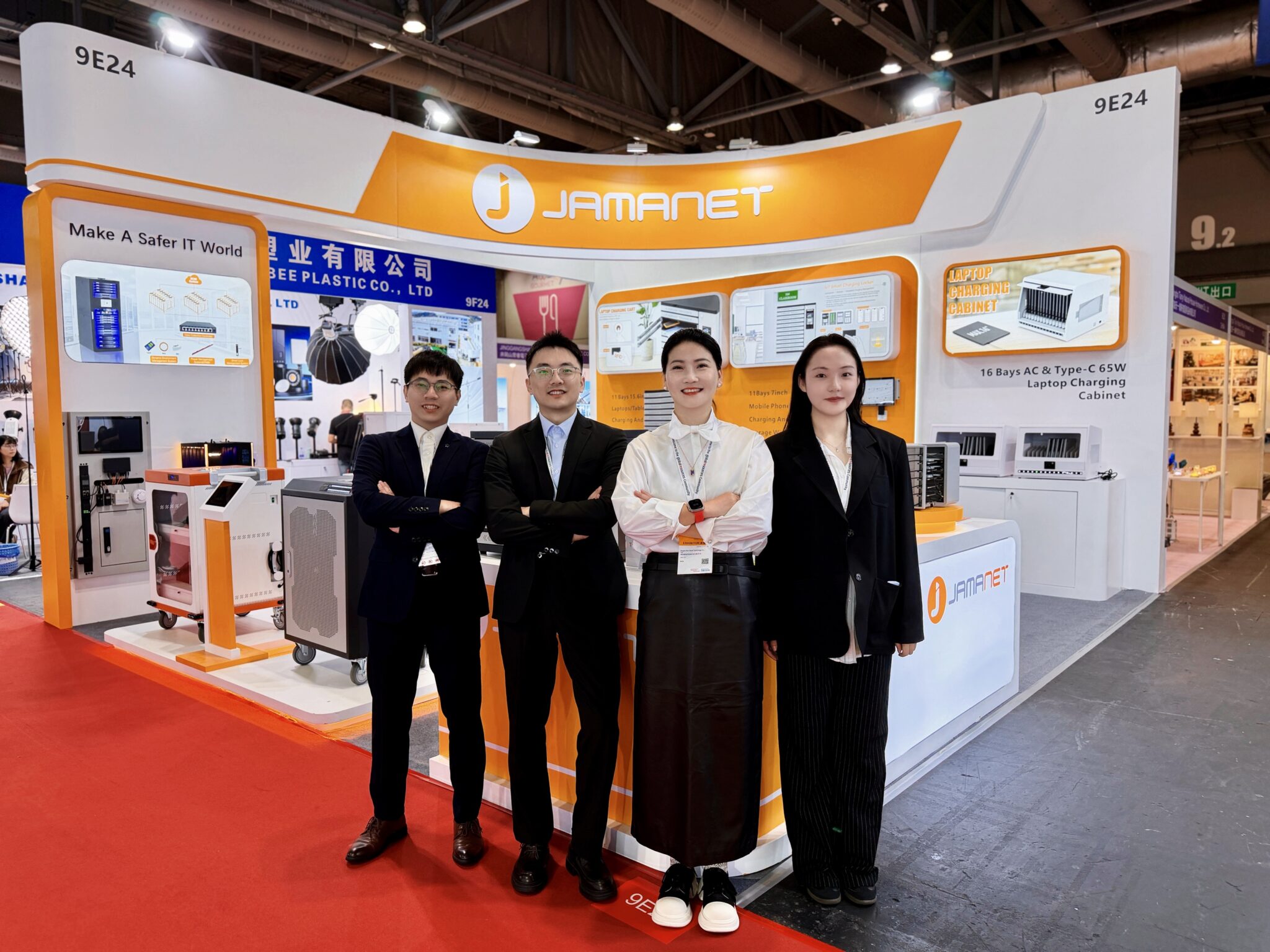
Jema Technology Group, operating under the Jamanet brand, focuses on IT infrastructure equipment and smart charging products. The company was established in 2015 and is based in Ningbo, Zhejiang, China. Its business covers the research and development, production and sales of IT room infrastructure and smart charging solutions.
For buyers sourcing a laptop charging locker or other multi-device charging equipment, product selection should begin with the device list, charging requirements, installation space and access-control needs. Jamanet’s ELITE-max-7 provides a seven-slot example for organizations looking for a compact, lockable charging and storage point for compatible portable devices.
If you are evaluating a laptop charging locker for a school, office, training centre or device-lending program, share the device models, required quantity and destination-market power requirements with the Jamanet team. This information helps establish whether the ELITE-max-7 configuration is suitable or whether another charging cabinet or cart design would be a better fit.
Frequently Asked Questions
What is a laptop charging locker used for?
It provides a designated place to store and charge laptops. Depending on its design, it can also support tablets, phones or other portable devices whose dimensions and charging requirements are compatible.
How many laptops can the Jamanet ELITE-max-7 hold?
The supplied specification lists seven device slots and seven charging ports. Actual laptop compatibility depends on the usable compartment space and the dimensions of each device.
Does the ELITE-max-7 support USB-C laptop charging?
Yes. The specification lists USB Type-C charging with PD 3.0, QC 3.0 and PPS support. Buyers should confirm the required output option and compatibility with their laptop models.
Is each compartment locked separately?
The specification lists an independent key for each locker, allowing each compartment to be secured separately.
Does the laptop charging locker include cooling?
The ELITE-max-7 specification lists an included cooling fan. It also lists a built-in circuit breaker, overload protection and overcharge protection. Follow the product manual and local electrical requirements.
Can the ELITE-max-7 charge tablets, phones or VR glasses?
Those device categories are listed as supported types. Confirm the dimensions, charging connector and power requirements of the exact devices before ordering.
Is UV disinfection included as standard?
No. UV light is listed as an optional feature. Specify it when requesting a quotation if required.
What is the warranty period?
The supplied specification lists a two-year warranty for the steel cabinet and a one-year warranty for electronics. Confirm the final warranty terms in the quotation and sales documents.
Find the Right Laptop Charging Locker for Your Devices
A well-selected laptop charging locker can help organizations keep shared devices organized, charged and secured between uses. The most important factors are not simply the number of slots, but whether the compartments fit the devices, the charging system meets their power requirements, and the locking and cooling arrangements suit the installation environment.
Jamanet ELITE-max-7 offers seven individual device positions, USB-C charging, keyed compartments, cable management and built-in cooling and protection features. Contact Jamanet to discuss device compatibility, charging output configuration, optional UV light and project requirements.