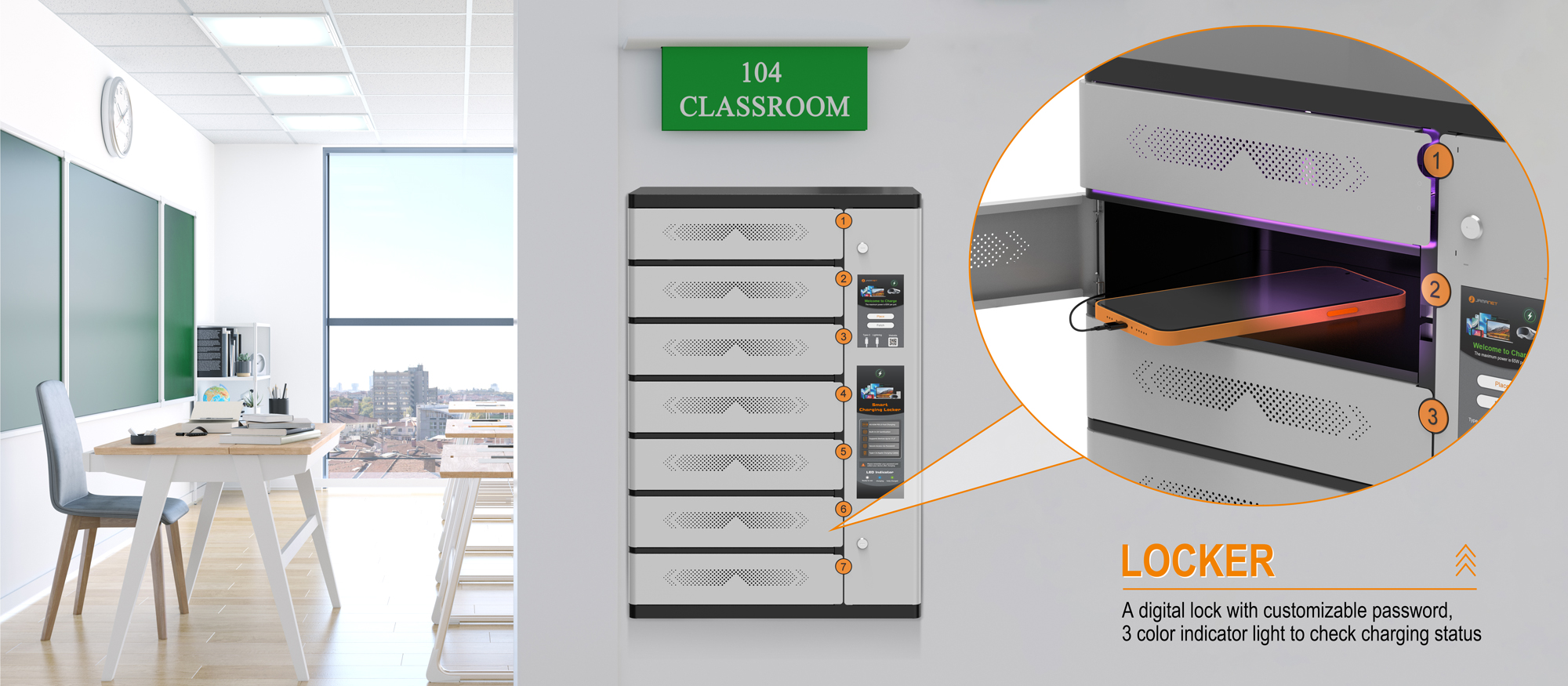
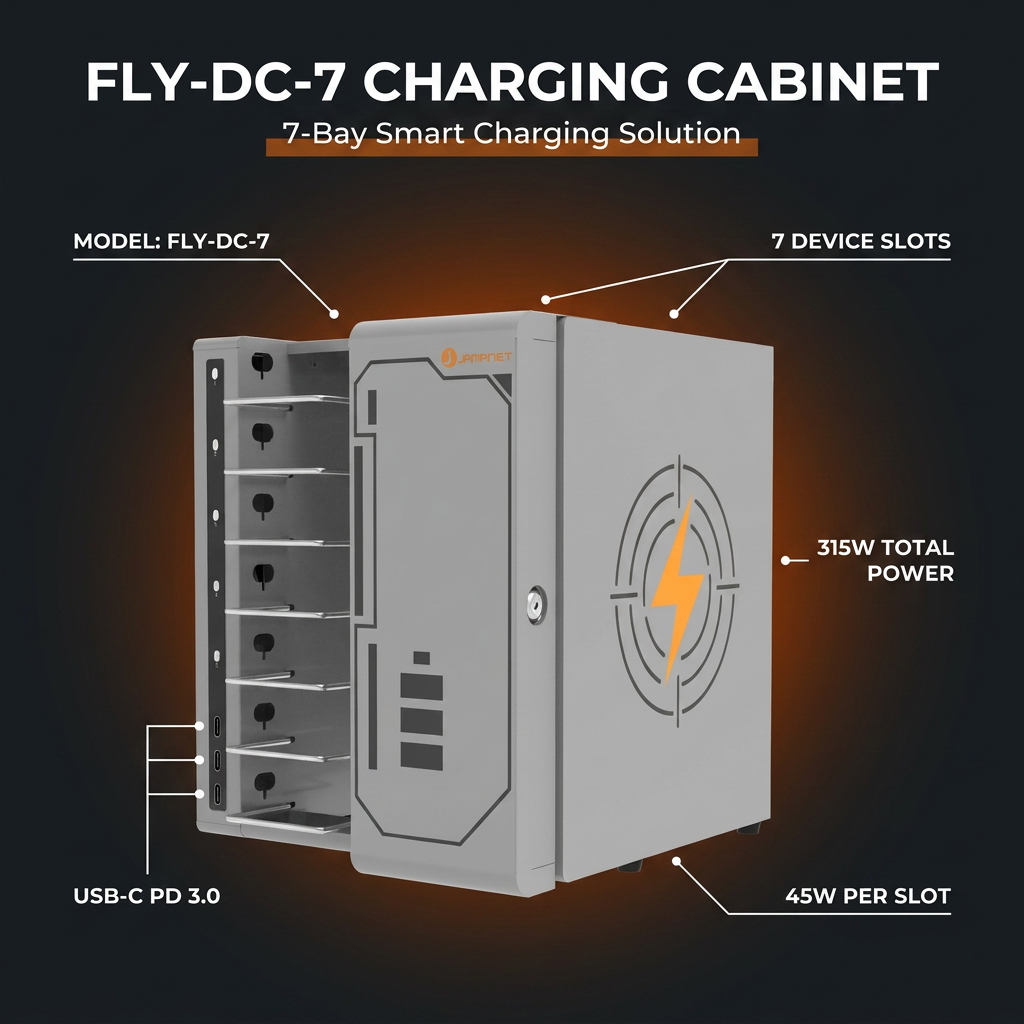
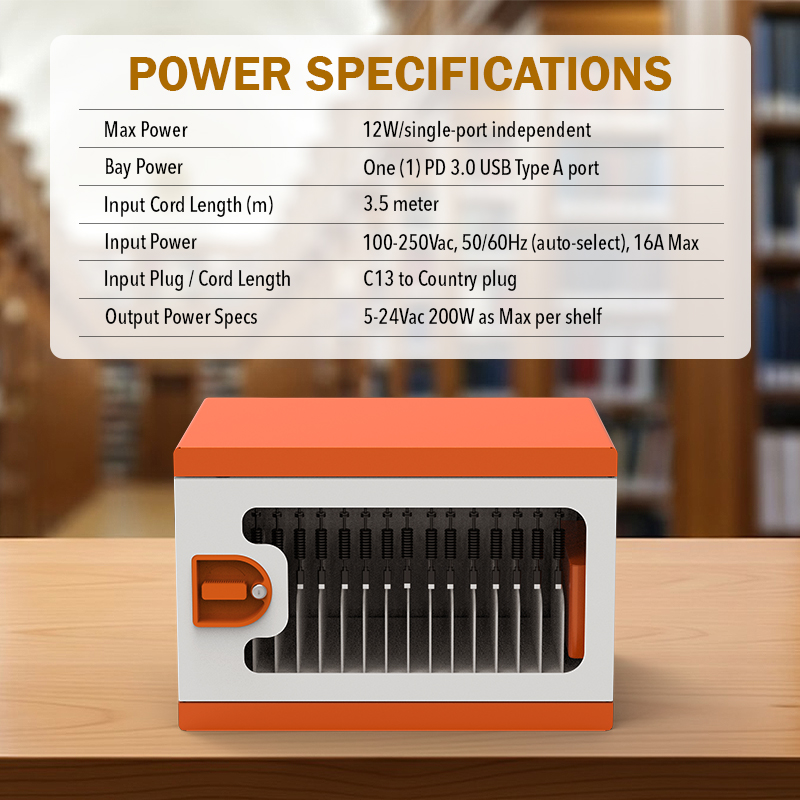
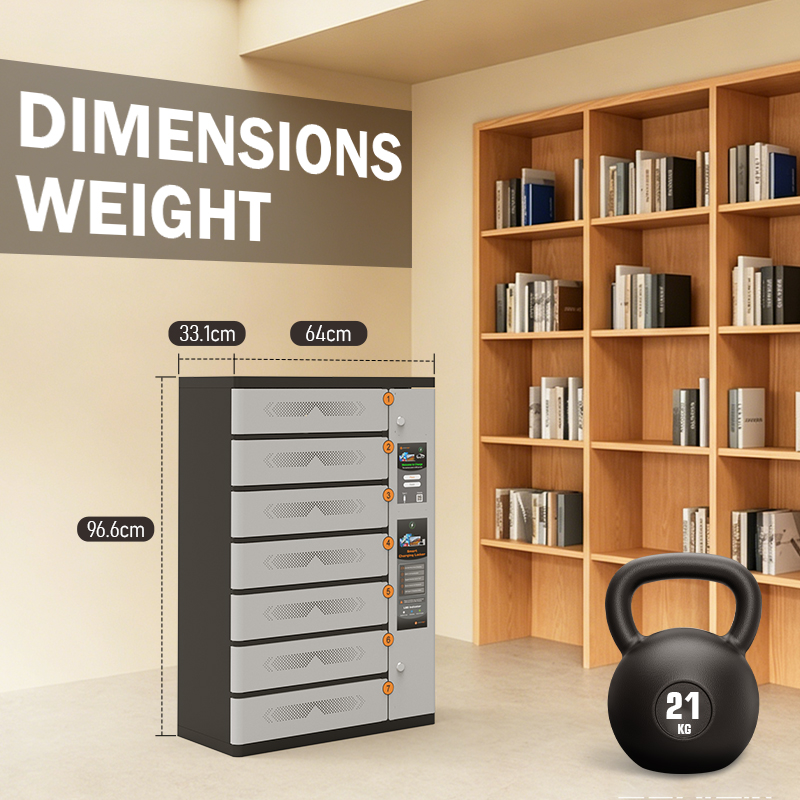
 Digital devices have become part of everyday teaching. Tablets support interactive lessons, laptops are used for research and assignments, and shared devices help schools make technology available to more students. But as the number of devices grows, keeping them organized, protected, and ready for the next class becomes a practical challenge.
A reliable classroom tablet charging arrangement should do more than provide power. It should give each device a consistent place, reduce loose cables, make charging status easier to check, and fit naturally into the available classroom or storage space. For schools that use a mix of tablets and USB-C laptops, a compact charging cabinet can bring these tasks together in one organized solution.
This guide explains what schools should consider when storing and charging shared tablets and laptops, how USB-C charging can simplify daily routines, and what features matter when choosing a classroom tablet charging solution.
Why Classroom Devices Need a Dedicated Charging and Storage Routine
In many schools, devices move between classrooms, carts, libraries, computer rooms, and shared work areas. Without a clear storage and charging routine, teachers or IT staff may spend valuable time collecting devices, finding the right cable, checking battery levels, and preparing equipment before a lesson.
A dedicated classroom tablet charging area can help address several recurring issues:
- Scattered devices: Tablets and laptops may be left on desks, shelves, or in different rooms after use.
- Cable clutter: Multiple individual chargers and power adapters can create tangled cables and make it harder to identify the correct connection.
- Uncertain charging status: Staff may not know which devices are fully charged and ready for the next class.
- Limited space: Schools often need to organize devices in shared rooms, classrooms, offices, or compact storage areas.
- Inconsistent routines: Without a designated place for each device, returning and preparing equipment can take longer.
A purpose-designed tablet charging cabinet helps establish a repeatable process: return each device to its designated position, connect it for charging, check its indicator, and collect it when needed. This simple routine can make shared-device management more predictable.
What to Look for in a Classroom Tablet Charging Cabinet
1. Capacity That Matches the Number of Shared Devices
Start by counting the devices that need to be stored and charged at the same time. The right capacity depends on class size, how devices are shared between groups, and whether laptops and tablets are returned to the charging area together.
A 16-port charging cabinet can support up to 16 compatible devices at once, making it useful for a classroom set or a shared pool of school devices. When comparing products, confirm both the number of charging ports and the actual device capacity. Also check the usable compartment dimensions and the supported device size rather than relying on the port count alone.
2. Compatibility with Tablets and USB-C Laptops
Schools may use iPads, Android tablets, USB-C Chromebooks, and other Type-C laptops. A charging solution should match the charging interface and power requirements of the devices in the fleet.
A USB-C charging cabinet is particularly practical where compatible devices use USB-C for power. Before purchasing, check the device manufacturer’s charging requirements, supported USB-C Power Delivery profiles, cable quality, and the maximum device size supported by the cabinet. A cabinet designed for devices up to 15.6 inches can accommodate many tablets and compact laptops, but schools should verify the dimensions of their specific models.
3. Charging Output for Different Device Loads
Charging power affects how quickly devices can recharge, but the advertised maximum output should always be read alongside the operating conditions. A cabinet may offer a higher maximum output per port when fewer devices are connected and a lower output per port when more ports are in use.
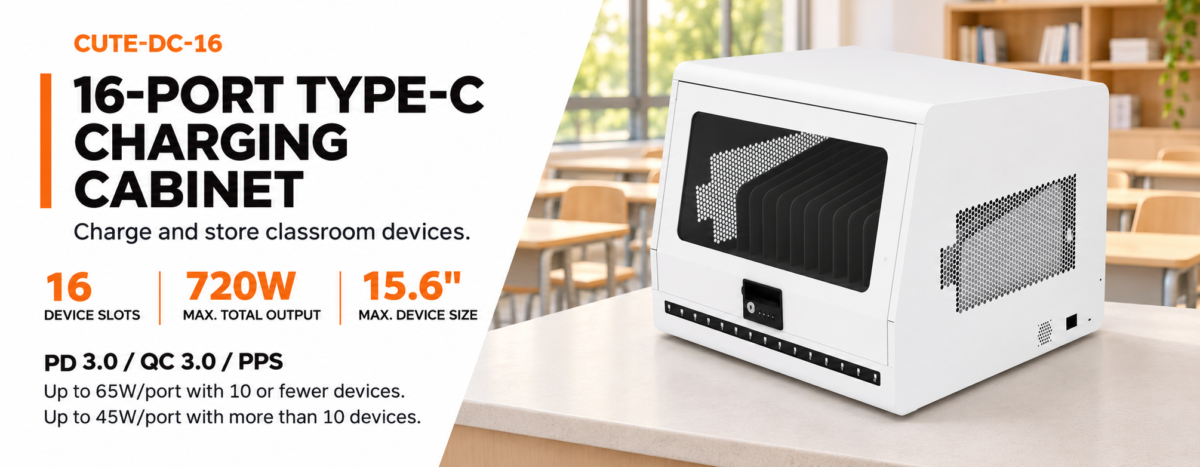
For example, the Jamanet CUTE-DC-16 provides up to 65W per port when 10 or fewer devices are connected. When more than 10 devices are connected, the maximum output is up to 45W per port. This operating condition should be considered when estimating charging time for a full set of classroom devices.
Schools should compare the cabinet’s output with the charging requirements of their tablets and laptops. A tablet may require less power than a laptop, and actual charging performance can vary by device model, battery level, cable, and simultaneous load. Avoid assuming that every device will charge at the maximum advertised rate at all times.
4. Clear Charging Status Indicators
When devices are shared by multiple classes, staff need a quick way to see whether equipment is charging. Individual charging status indicators make it easier to check each position without unplugging devices or testing them one by one.
This is a small feature with practical value: teachers and IT staff can identify a device that is not showing the expected status and investigate before the next lesson. Indicator behavior should be explained clearly in the product manual so users understand what each light means.
5. Simple Setup and Built-In Protection
A classroom charging system should be straightforward for school staff to operate. Plug-and-play operation, with no software configuration required, can reduce setup steps and make the solution easier to deploy across different rooms.
Electrical protection is equally important. Look for clearly specified protection features, such as overload protection, and review the manufacturer’s safety instructions, certifications, and recommended operating conditions. The CUTE-DC-16 is specified with overload protection and CE and RoHS certifications. Schools should still confirm that the product’s electrical ratings and certification documentation meet the requirements of their destination market and local installation rules.
6. Installation That Fits the Available Space
Not every classroom has a dedicated device-storage room. A compact charging cabinet that can be placed on a desk or mounted on a wall gives schools more flexibility when planning the charging area.
Desktop placement can work well on a counter, work surface, or IT support desk. Wall mounting may help free up valuable surface space, provided the wall structure, mounting hardware, cable access, and installation location are suitable. Confirm the installation instructions and load-bearing requirements before mounting any equipment.
A compact product package can also help reduce shipping volume, which may be relevant for schools, distributors, and project contractors purchasing equipment for multiple locations.
How to Build a More Efficient Classroom Charging Routine
The cabinet is only one part of an effective device-management process. Schools can improve daily use by setting a few consistent rules:
- Assign a numbered position to each device or device group so equipment can be returned to the same place.
- Use the supplied or approved USB-C cables and avoid mixing damaged or incompatible cables into the charging area.
- Create a simple end-of-class return routine so devices are connected promptly after use.
- Check the charging indicators before the next lesson and investigate any position that does not show the expected status.
- Keep ventilation openings clear and follow the manufacturer’s guidance on placement, cleaning, and operation.
- Review device size and charging requirements whenever the school replaces or upgrades its tablets and laptops.
These steps help turn classroom tablet charging from an occasional task into a repeatable part of the school’s device-management process.
A Compact USB-C Charging Option: Jamanet CUTE-DC-16
For schools that need to organize a shared set of tablets and USB-C laptops without dedicating a large area to charging equipment, the Jamanet CUTE-DC-16 is a compact 16-port Type-C charging cabinet.
Its key features include:
- Up to 16 devices can be charged simultaneously.
- Designed for iPads, tablets, and Type-C devices up to 15.6 inches.
- Up to 65W maximum output per port when 10 or fewer devices are connected.
- Up to 45W maximum output per port when more than 10 devices are connected.
- An individual charging status indicator for each device position.
- Plug-and-play operation without software configuration.
- Overload protection and supplied USB-C to USB-C fast-charging cables.
- Desktop placement or wall-mounted installation.
- High-quality rubber feet, each specified to support approximately 30 kg.
- CE and RoHS certifications.
The cabinet’s compact format may suit classrooms, school offices, libraries, training rooms, and other shared-device environments. As with any charging product, buyers should confirm that their exact device models are compatible and that the charging output matches the devices’ requirements.
For project purchases, schools and resellers should also confirm the final configuration, included accessories, installation method, certification documents, and shipping package details with the supplier before placing an order.
Questions to Ask Before Purchasing
How many devices need to be charged at the same time? Choose capacity based on the number of devices that are routinely returned together, not just the total number owned by the school.
Are the devices compatible with USB-C charging? Check each device’s charging interface and power requirements. A USB-C port alone does not guarantee that every device supports the same charging power or protocol.
What is the maximum supported device size? Compare the cabinet’s supported dimensions with the actual width, height, and thickness of the school’s tablets and laptops.
What output is available when all ports are in use? Review the per-port output under different simultaneous-load conditions and estimate charging time using the device manufacturer’s requirements.
Where will the cabinet be installed? Decide whether desktop placement or wall mounting is more suitable, and confirm safe access to power and adequate ventilation.
What protection and documentation are provided? Request product specifications, operating instructions, certification documents, and details of the built-in protection features.
Conclusion
A well-planned classroom tablet charging solution helps schools keep shared devices organized, charged, and easier to prepare for the next lesson. The most suitable option is not necessarily the largest cabinet or the one with the highest headline wattage. It is the solution that matches the school’s device mix, charging requirements, available space, and daily workflow.
For schools using iPads, tablets, and USB-C laptops, a compact 16-port cabinet can provide a practical way to bring storage and charging together. With its flexible desktop or wall-mounted installation, individual charging indicators, and output options for different device loads, the Jamanet CUTE-DC-16 offers one option for simplifying classroom device management.
Frequently Asked Questions
Can a 16-port charging cabinet charge 16 devices at the same time?
The Jamanet CUTE-DC-16 supports simultaneous charging of up to 16 compatible devices. Actual compatibility depends on the device’s USB-C charging requirements and physical size.
What devices are compatible with the CUTE-DC-16?
It is designed for iPads, tablets, and Type-C devices up to 15.6 inches. Buyers should check the dimensions and charging specifications of their exact device models.
Does the CUTE-DC-16 provide 65W from every port at all times?
No. Each port supports up to 65W when 10 or fewer devices are connected. When more than 10 devices are connected, the maximum output is up to 45W per port.
Does the cabinet require software installation?
The product is designed for plug-and-play operation and does not require program or software configuration.
Can the charging cabinet be wall-mounted?
Yes. The CUTE-DC-16 supports desktop placement or wall-mounted installation. Follow the manufacturer’s installation instructions and verify that the mounting surface and hardware are suitable.
Are charging cables included?
C-to-C fast-charging cables are included as standard according to the supplied product information.
Make Classroom Device Charging Easier with Jamanet
Looking for a compact way to store and charge classroom tablets and USB-C laptops? Contact Jamanet to discuss the CUTE-DC-16, check device compatibility, and review the product specifications for your school, education project, or distribution requirements.
Contact Jamanet for product details and quotation.